
Lunar Paper
English
Applications / Documents and publishing

Documents

Create structured documents from 76 purpose-built content blocks, such as user stories, risk assessments, process flows, compliance matrices and equations, and embed live data and dashboard reports. Work together in real time, keep a version history and publish when the document is ready. Export to PDF, Word or Markdown, share with named people and teams or by link, and change the look with paper themes.

Highlights · 01

Structured component authoring

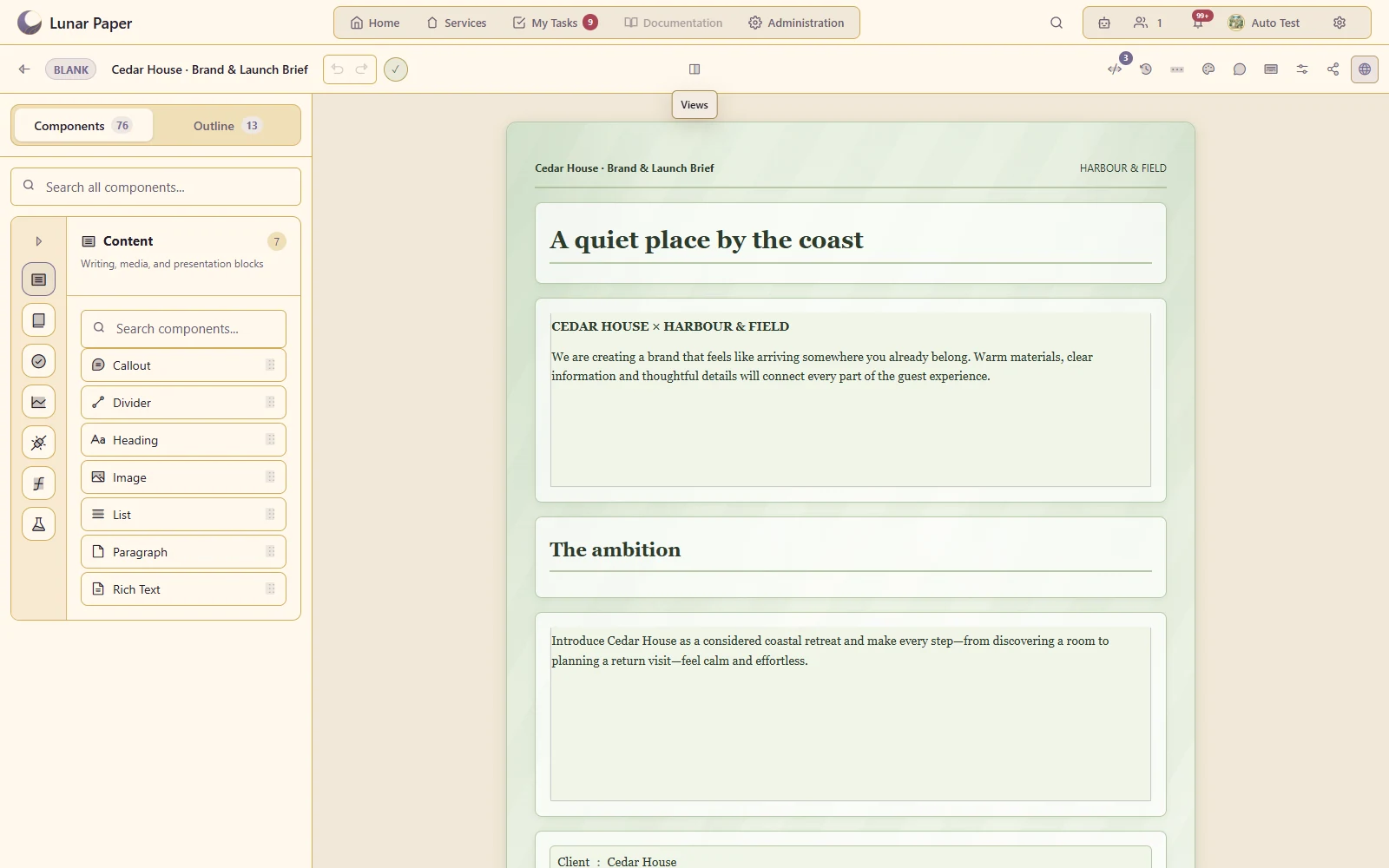
Assemble a real brief or report from purpose-built document components.

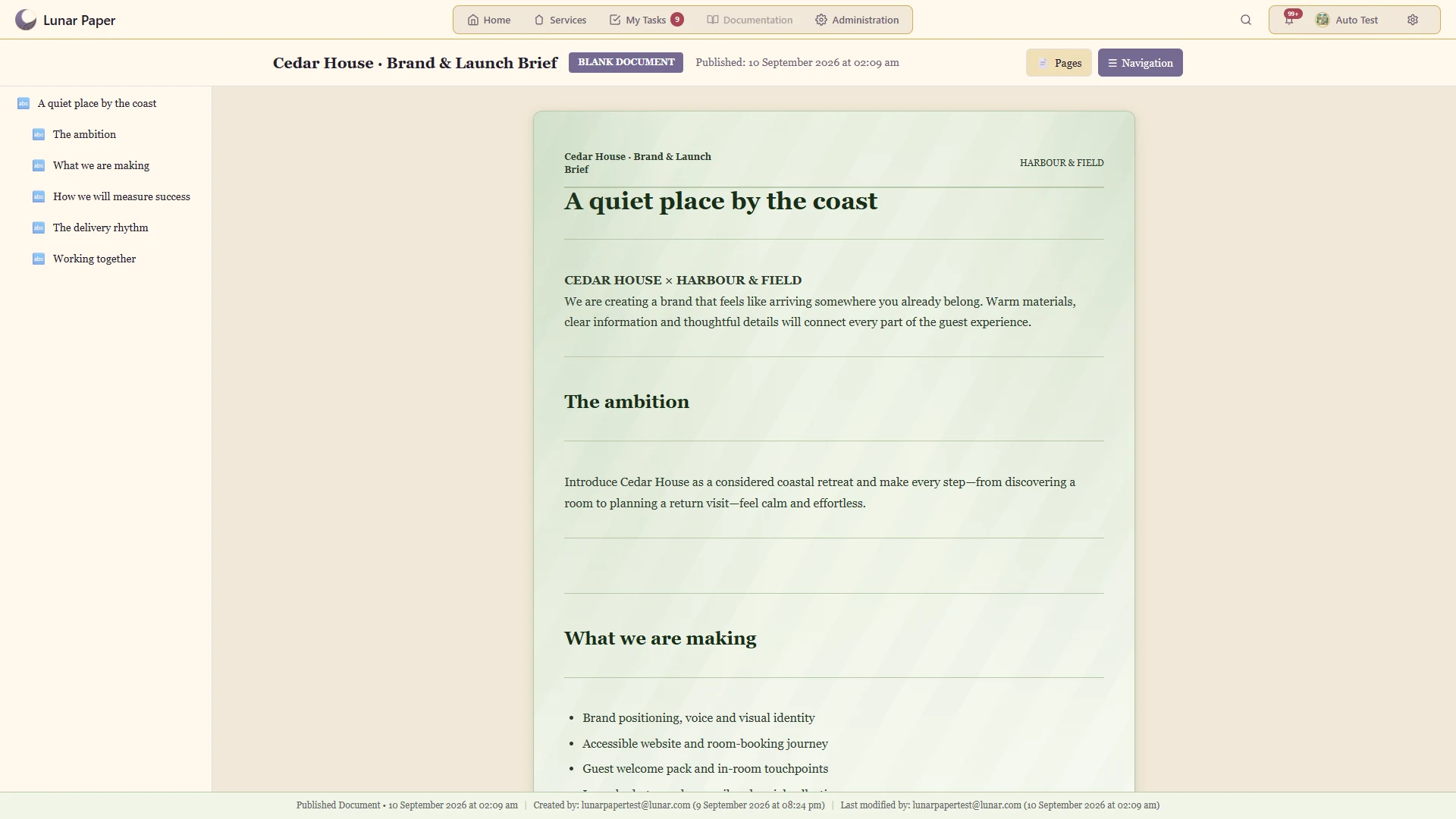
Structure the Cedar House launch brief with clear headings, narrative and delivery facts
Highlights · 02

Connected Data Hub content

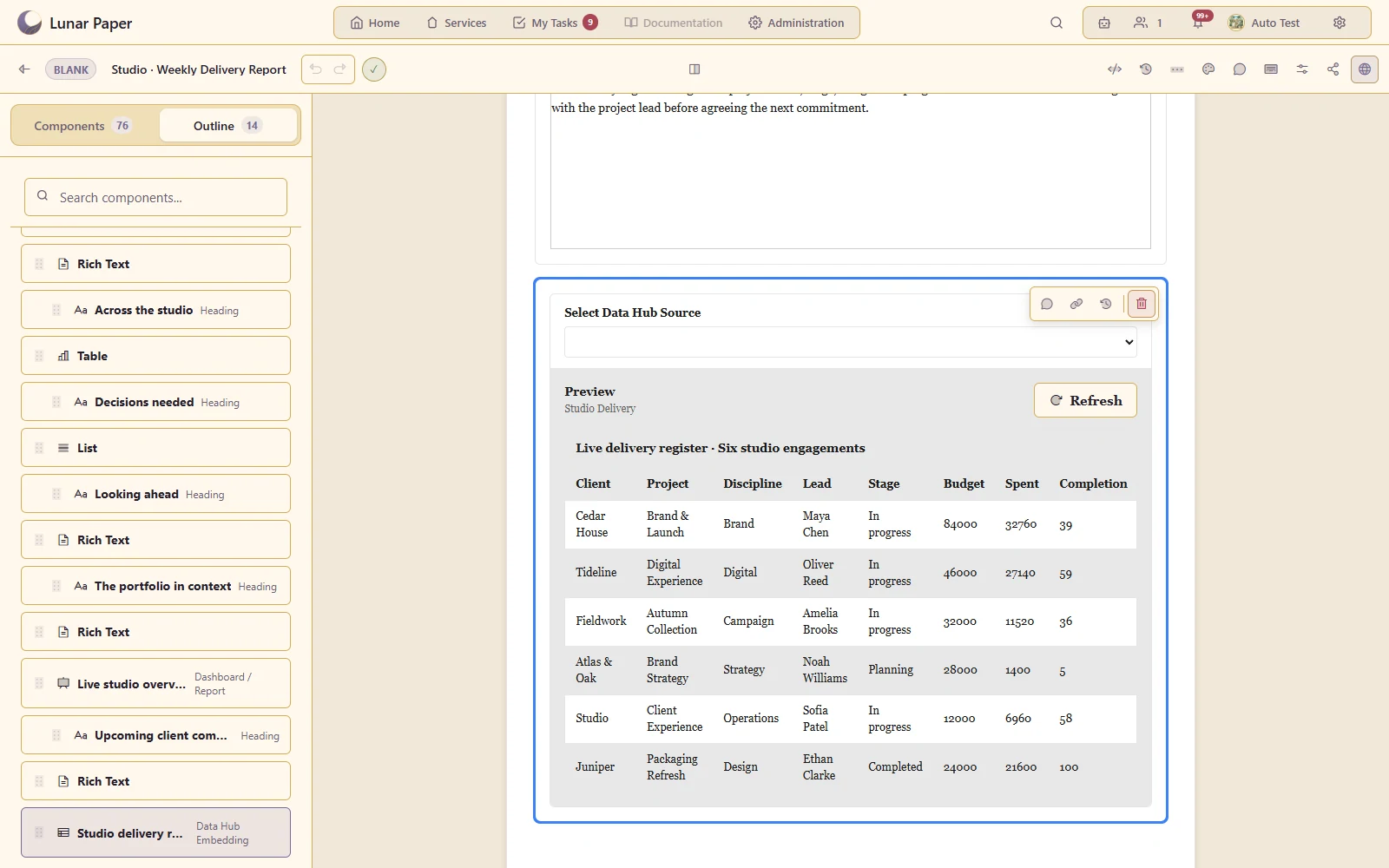
Insert a saved view or connected data into the document.

Keep the weekly report connected to the six-project studio delivery register
Highlights · 03

Embedded dashboard reports

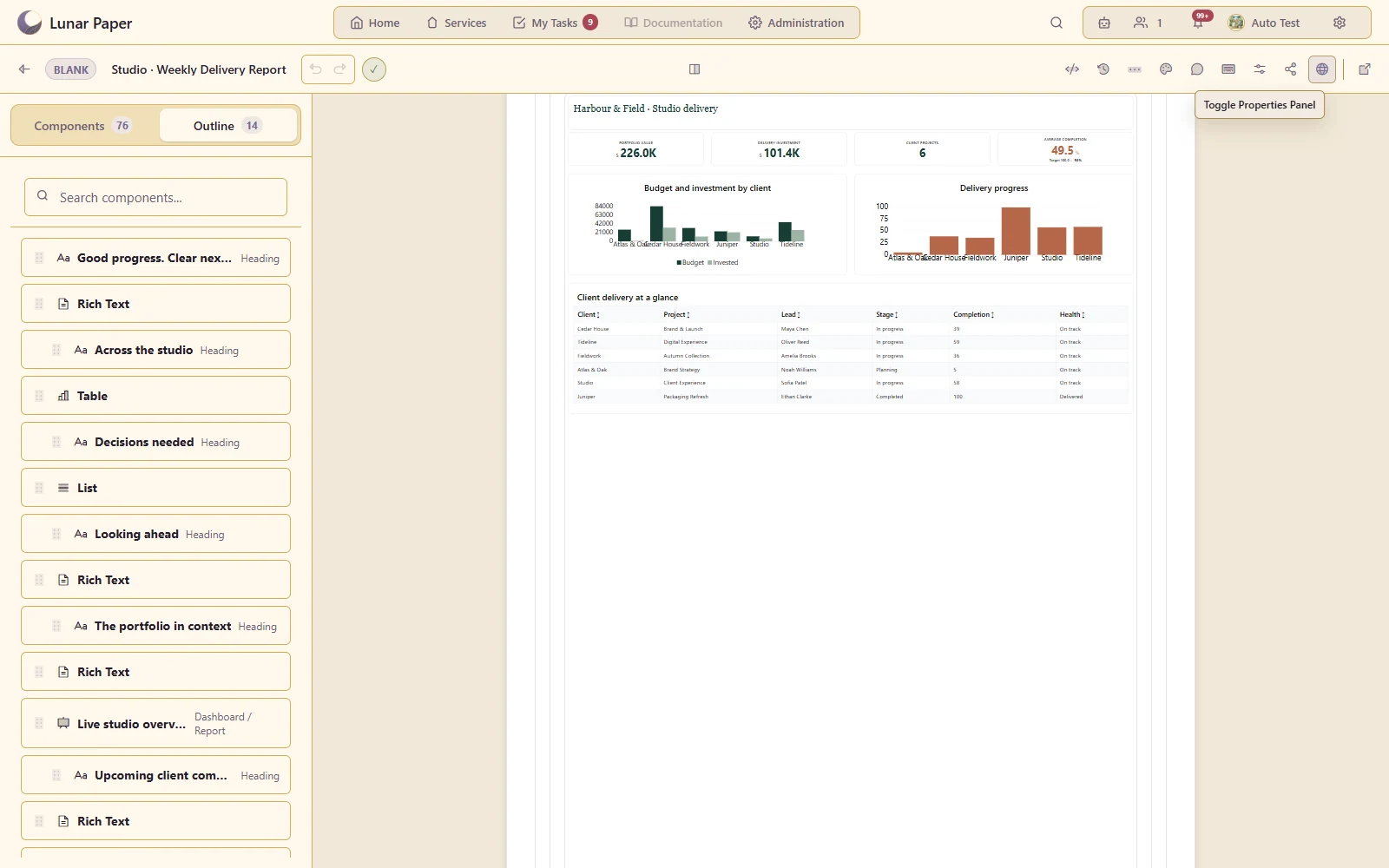
Put a report alongside the narrative that explains its implications.

Fit the live studio dashboard to the document alongside its reporting narrative
Highlights · 04

Requirements and process documentation

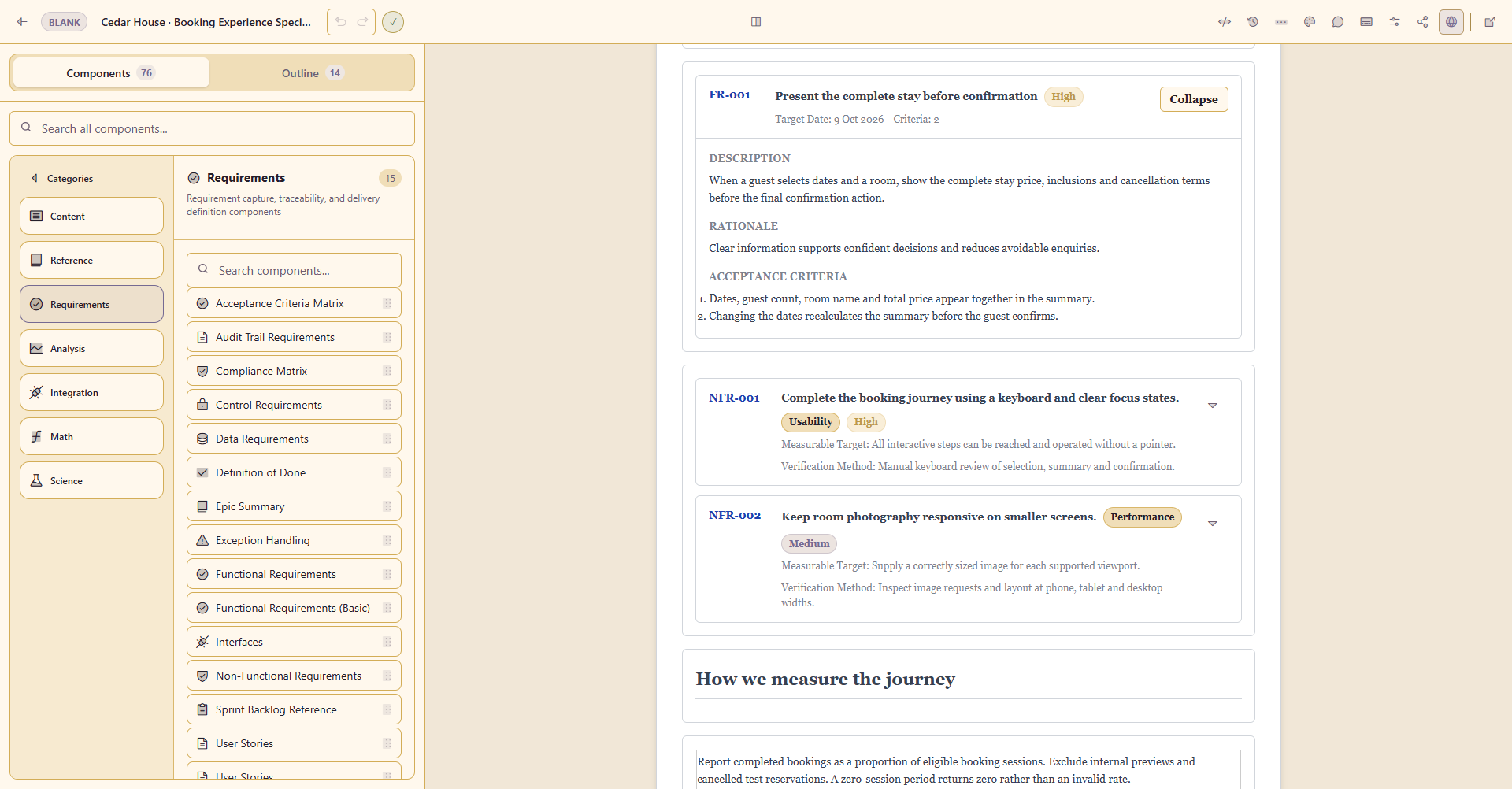
Use specialised components for requirements, stories and process flows.

Record the booking requirement with a rationale, target date and two explicit acceptance criteria
Highlights · 05

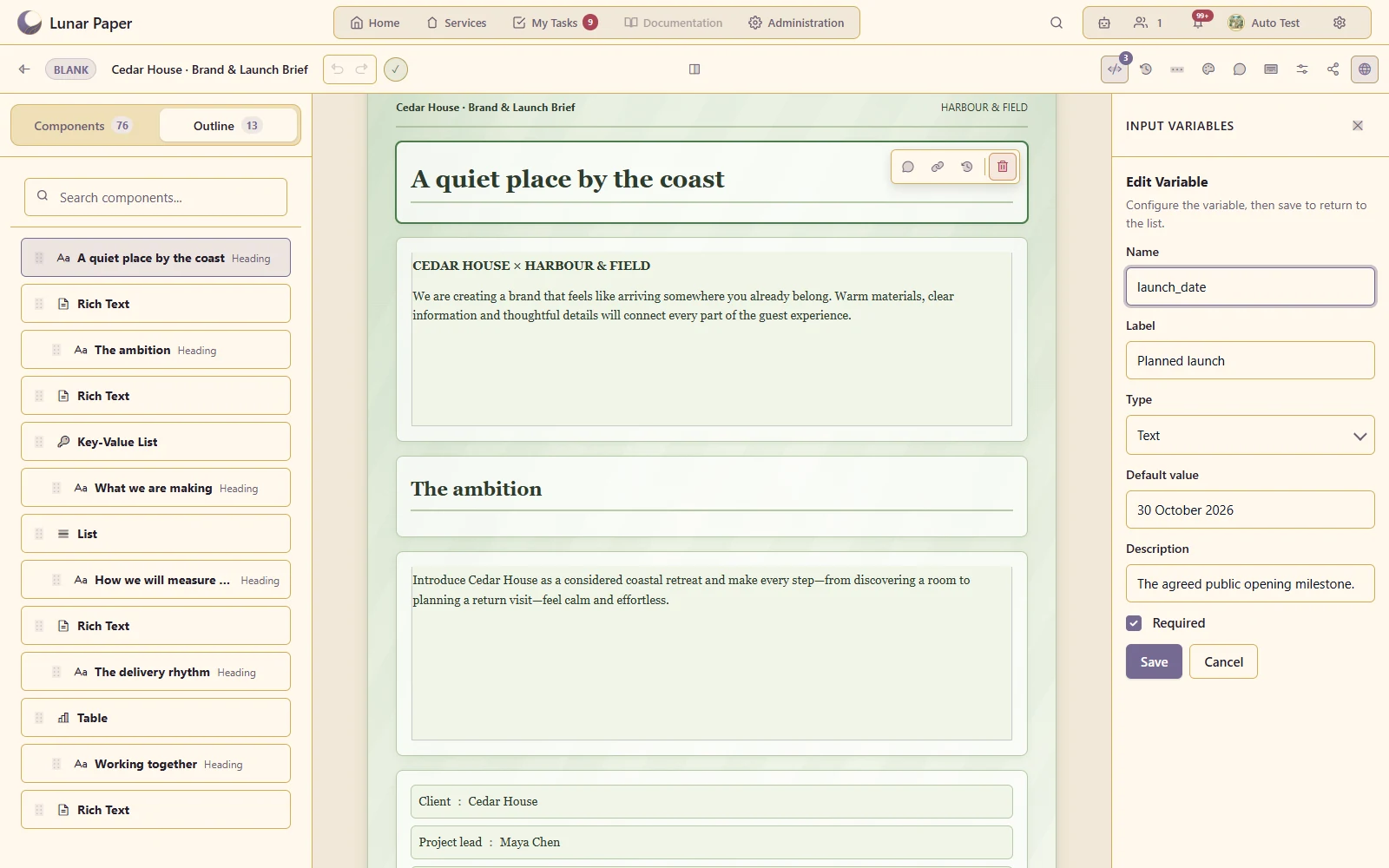
Document templates and variables

Reuse a structured starting point and supply the values needed for a new document.

Declare the planned launch as a required reusable input, with a meaningful default and description

A closer look

06 — 20
A closer look · 06

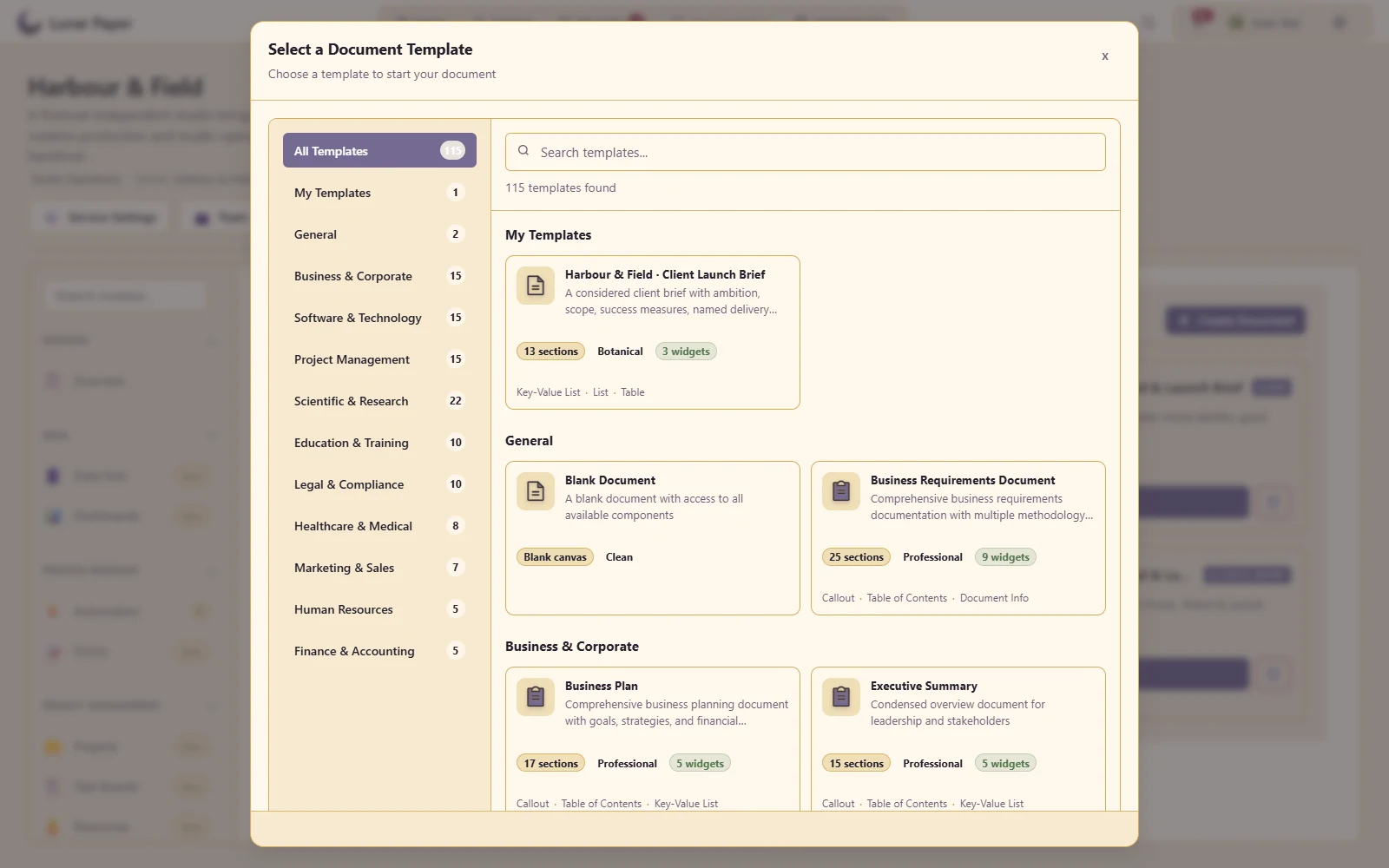
Document type catalogue

Choose a document structure suited to the job rather than starting from an empty page.

Start from a reviewed document structure with a clear outline and included components
A closer look · 07

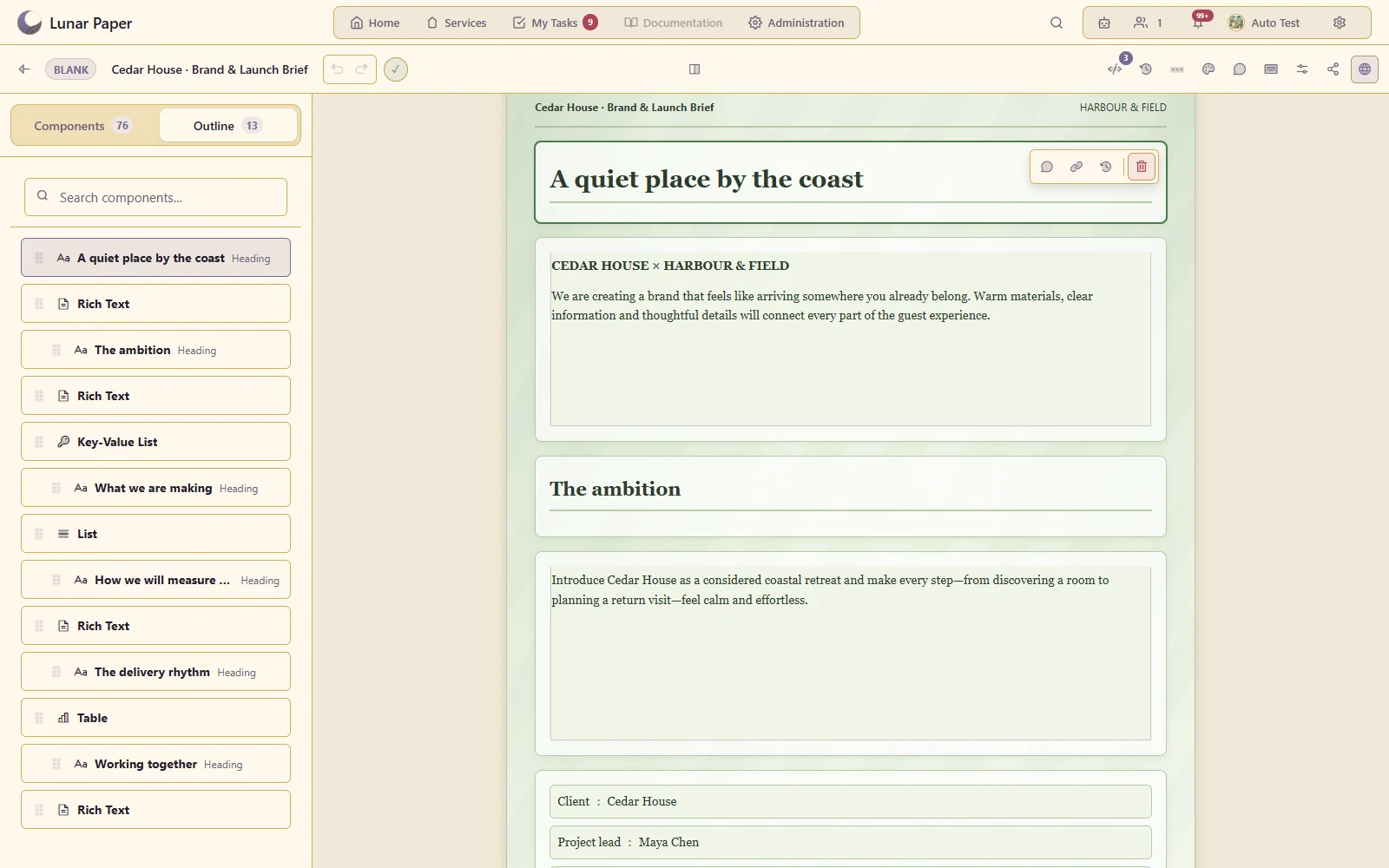
Outline navigation

Move through a long document using its structure and section hierarchy.

Move through the client brief using a named, reorderable document outline
A closer look · 08

Rich text, headings and lists

Write explanatory content within the structured document.

Structure the Cedar House launch brief with clear headings, narrative and delivery facts
A closer look · 09

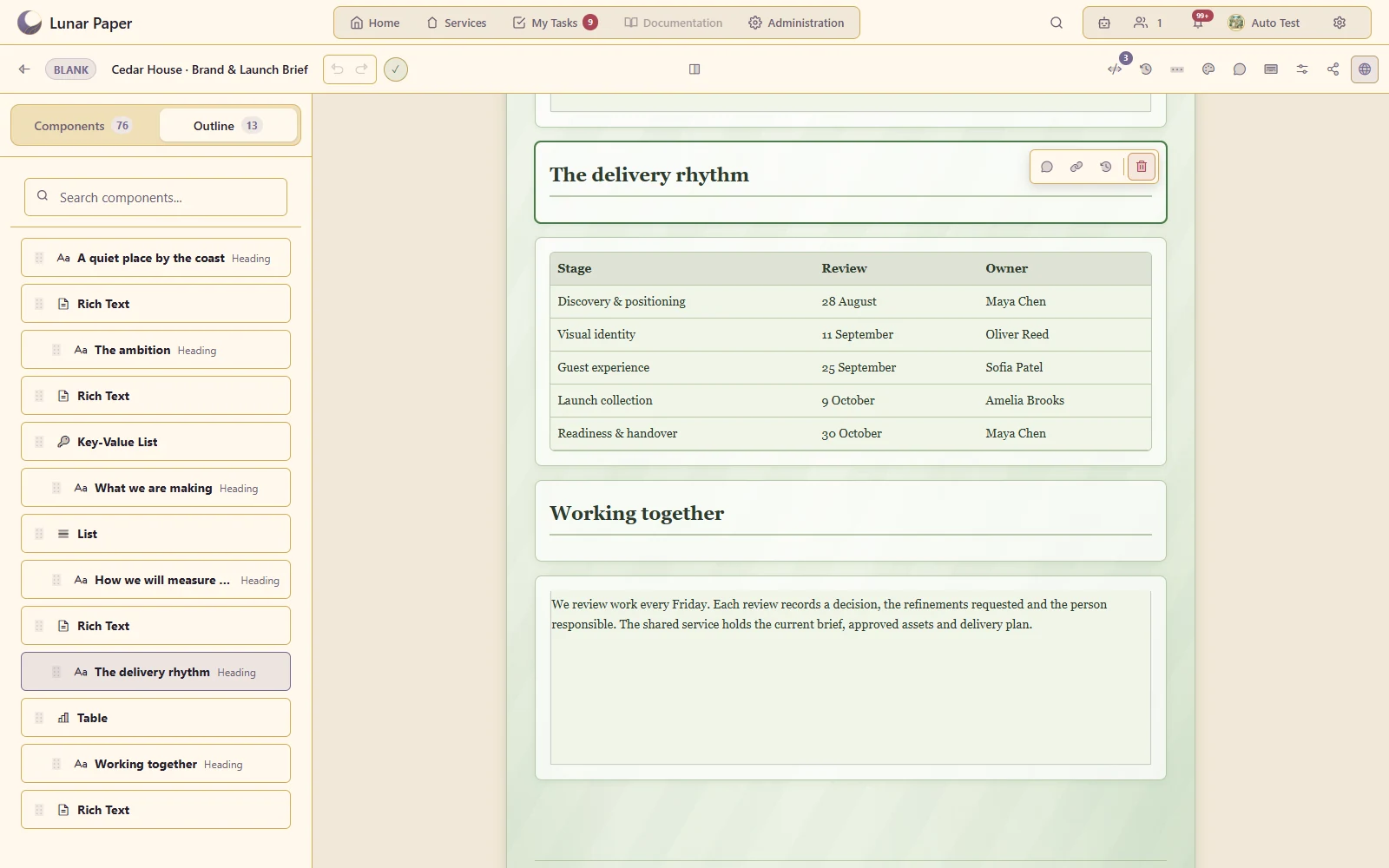
Tables and data components

Present detailed information alongside prose and diagrams.

Keep review dates and accountable owners together in the structured delivery table
A closer look · 10

Paper themes

Give a document a consistent visual identity using the shared paper-theme system.

Carry the botanical theme and clear heading hierarchy into the published client brief
A closer look · 11

Page layout and page breaks

Configure page size, zoom and paged presentation for the intended output.

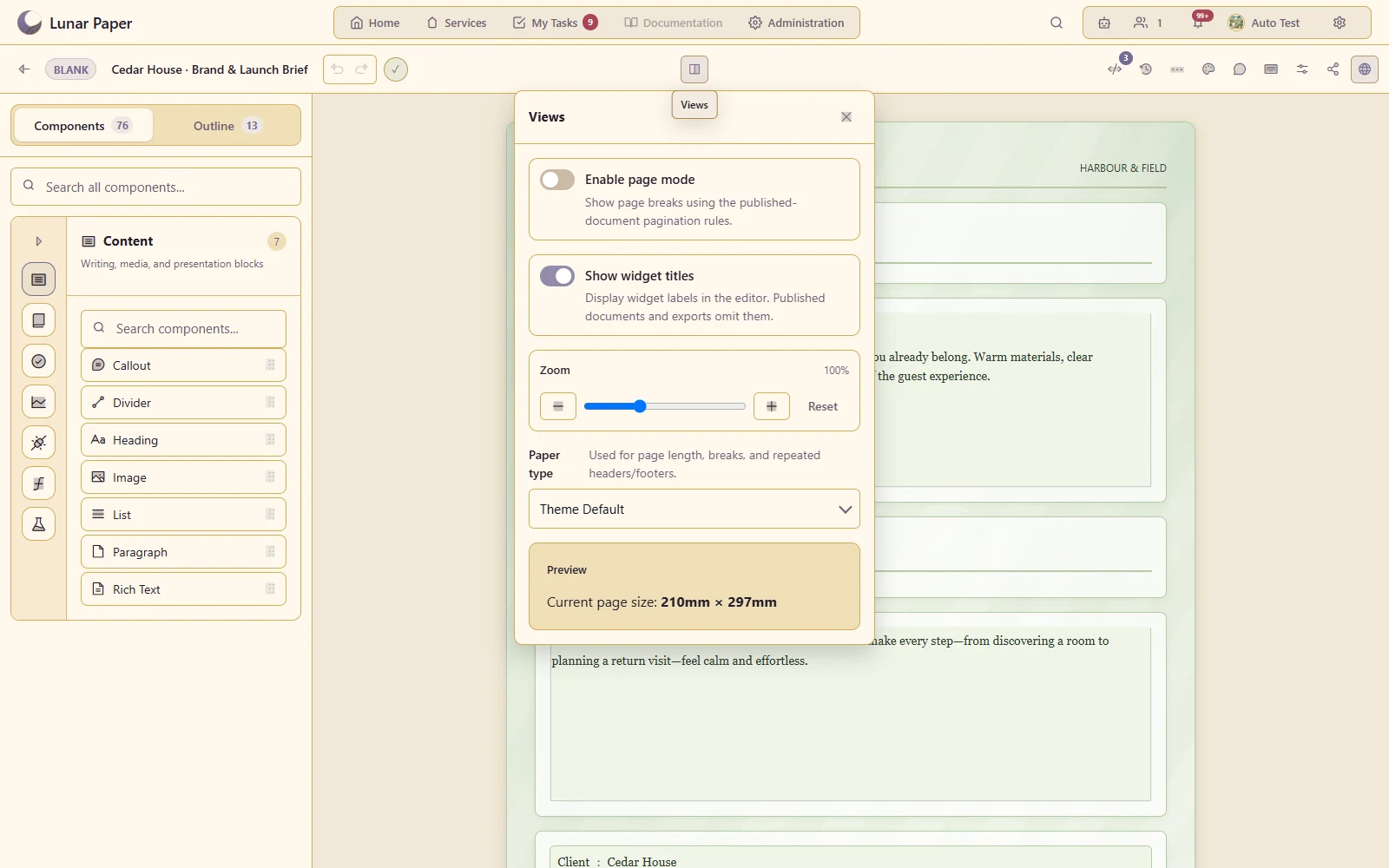
Control zoom, paper size and page presentation from the document view settings
A closer look · 12

Headers and footers

Add recurring document furniture around the body content.

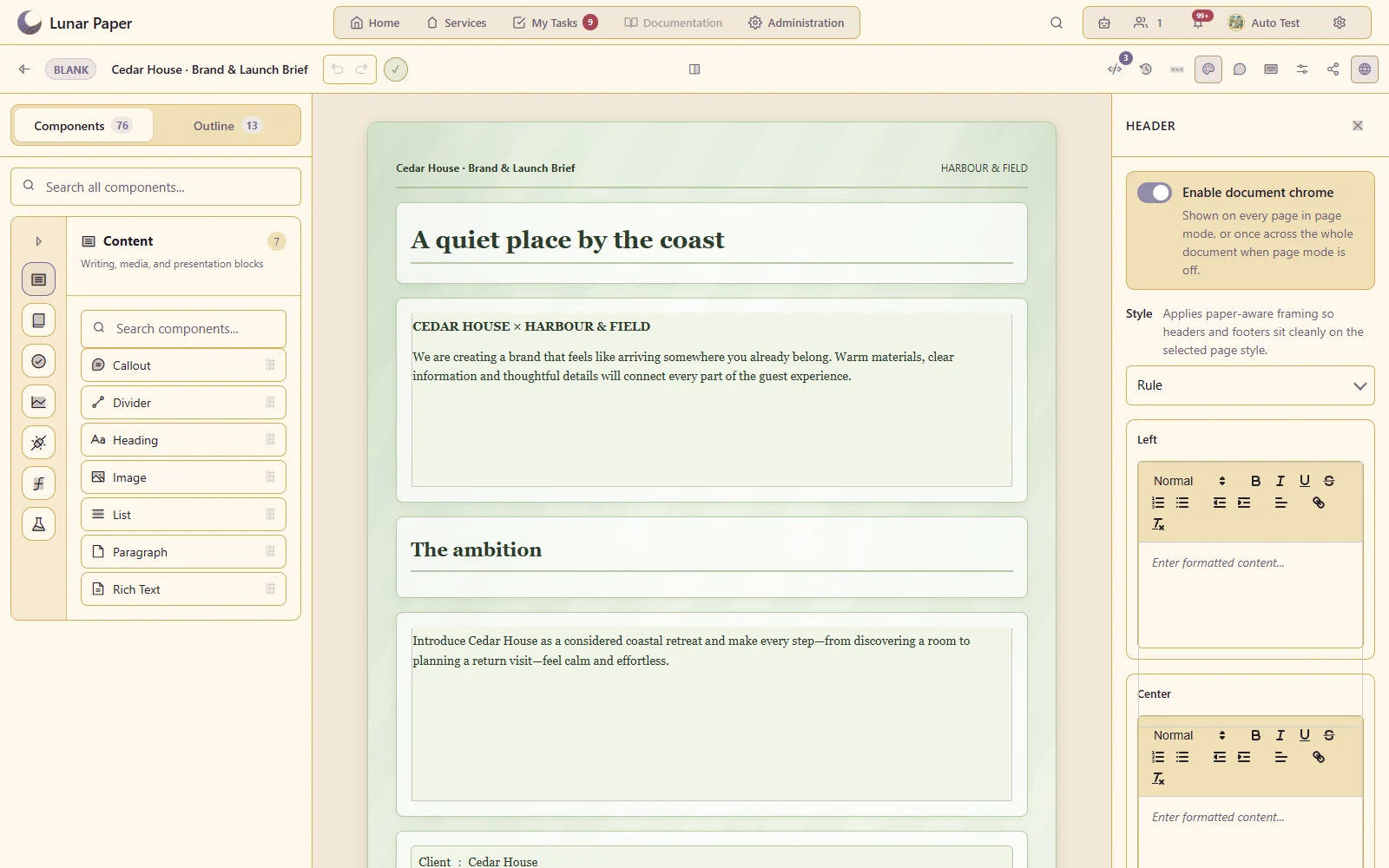
Give the brief a recurring document title, studio byline and version footer
A closer look · 13

Table of contents and cross-references

Help readers navigate and connect related parts of a substantial document.

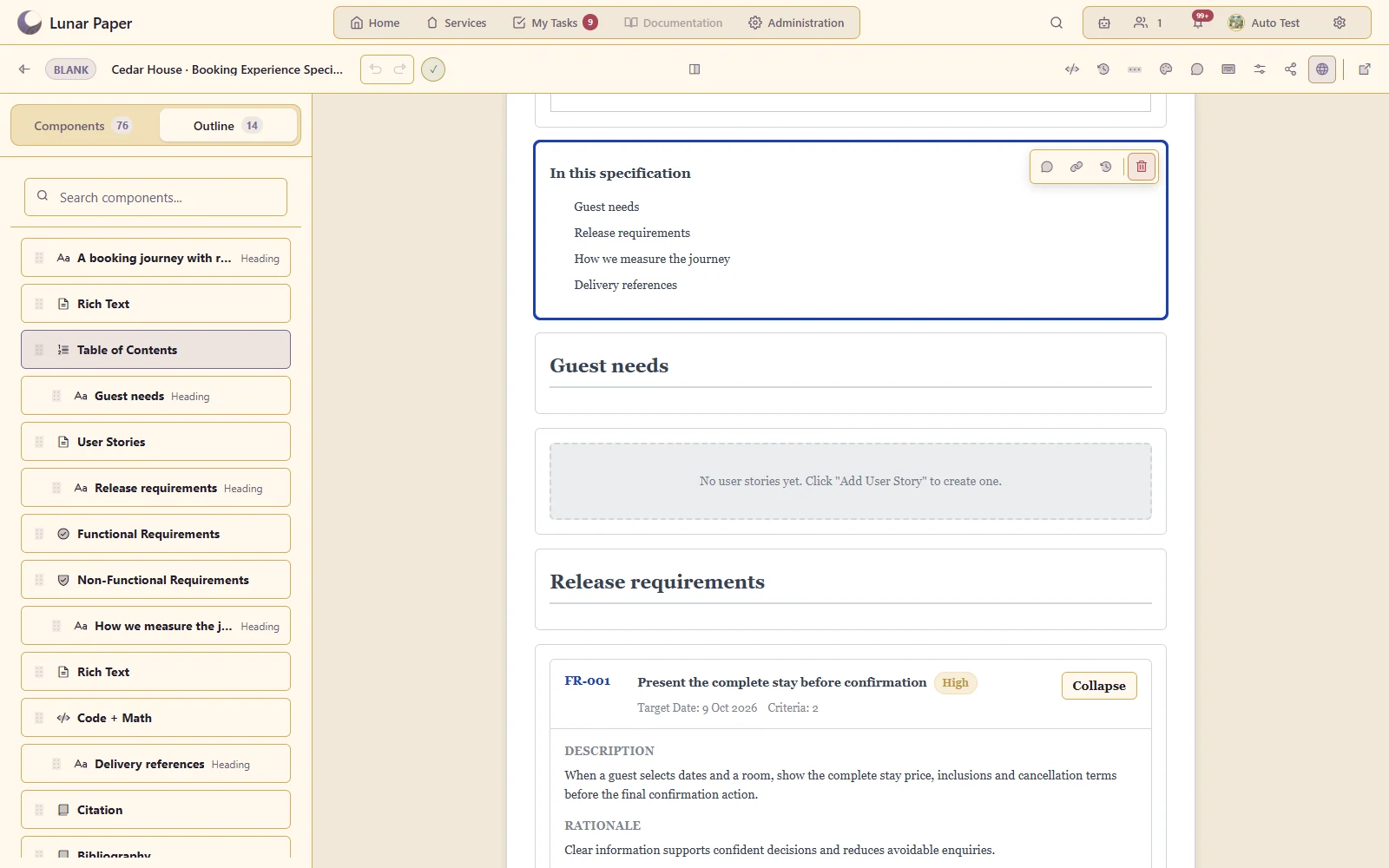
Navigate from the contents to guest stories, release requirements and measurement definitions
A closer look · 14

Citations and bibliography

Keep source references with the document's technical or research content.

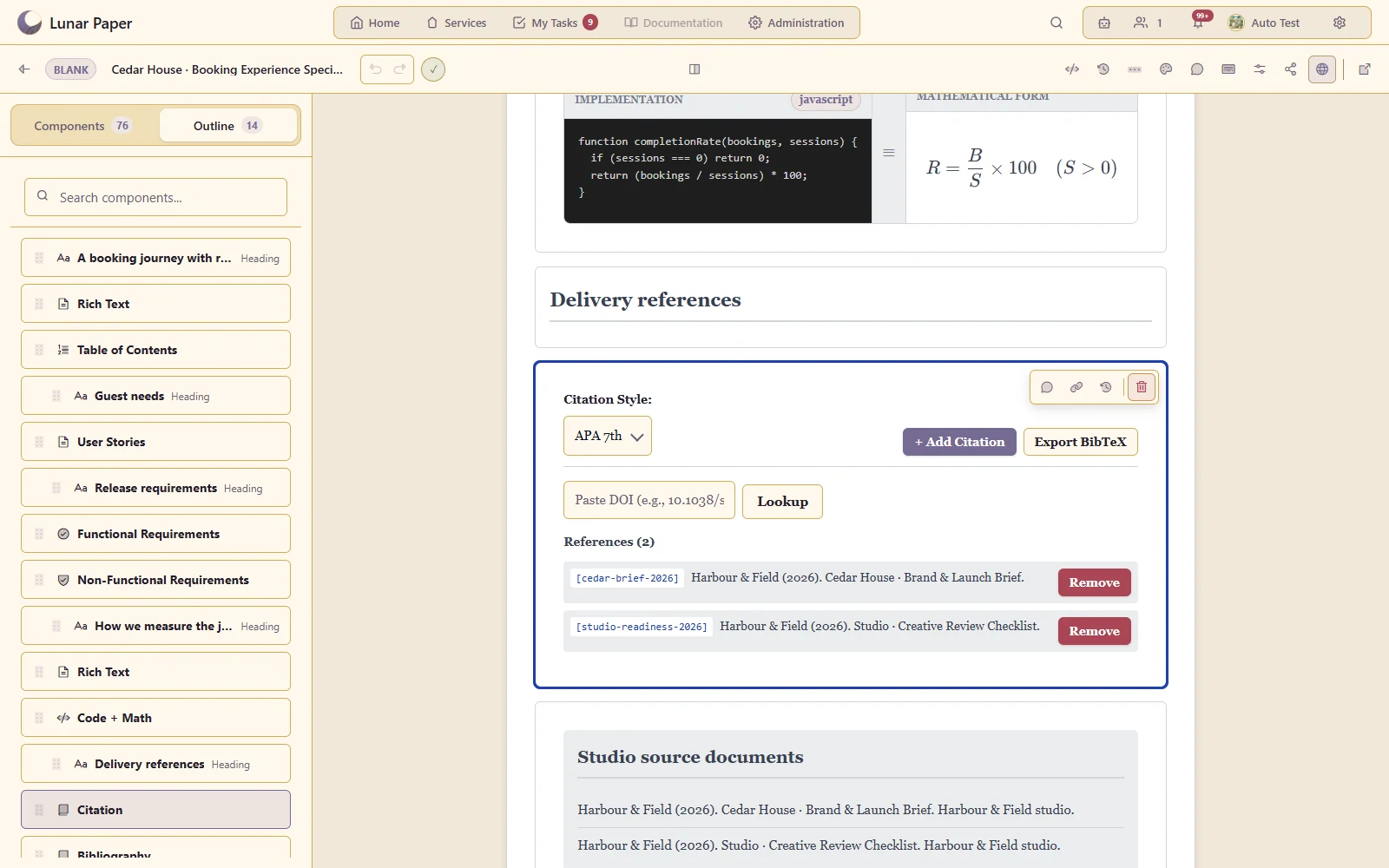
Keep the brief and review checklist cited in the booking specification
A closer look · 15

Technical content

Include supported code, mathematics and specialist explanatory components.

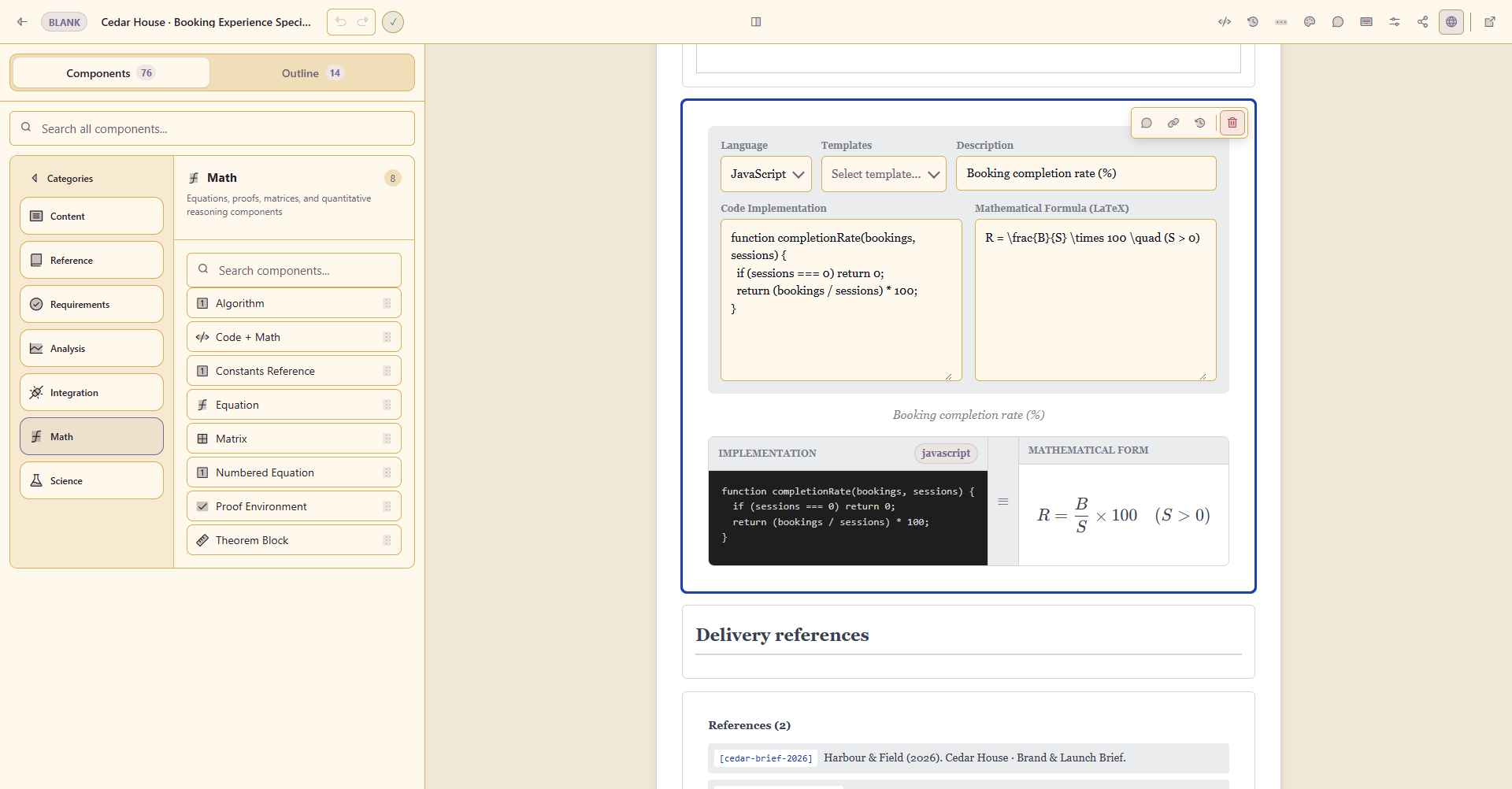
Explain booking completion with the implementation and mathematical definition together
A closer look · 16

Section organisation and reuse

Reorder, duplicate and adapt existing components while keeping the document structured.

Keep review dates and accountable owners together in the structured delivery table
A closer look · 17

Comments and collaboration

Discuss document content with other contributors in context.

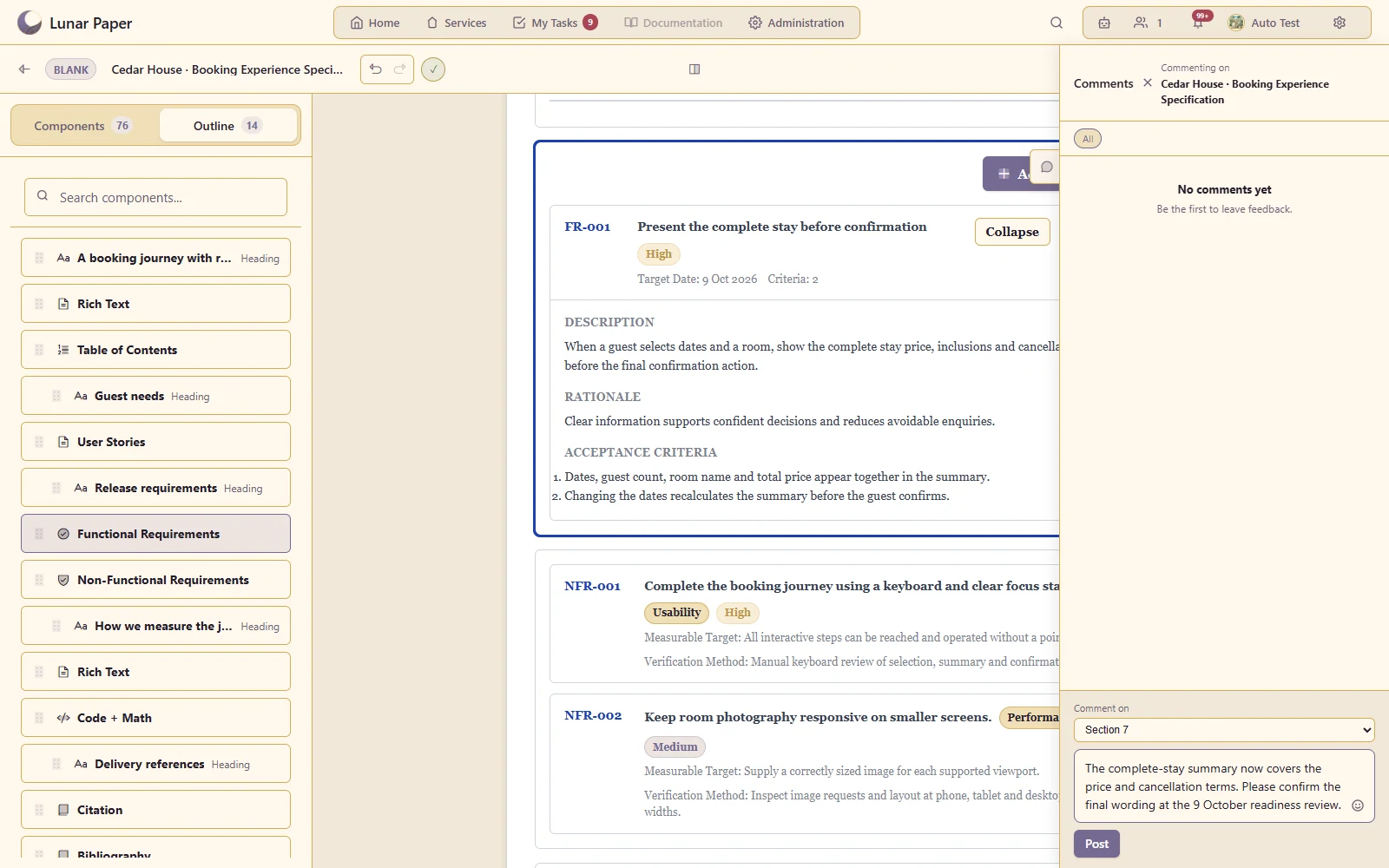
Draft review feedback beside the booking requirement it discusses
A closer look · 18

Version history and restoration

Preserve milestones and revisit an earlier document state.

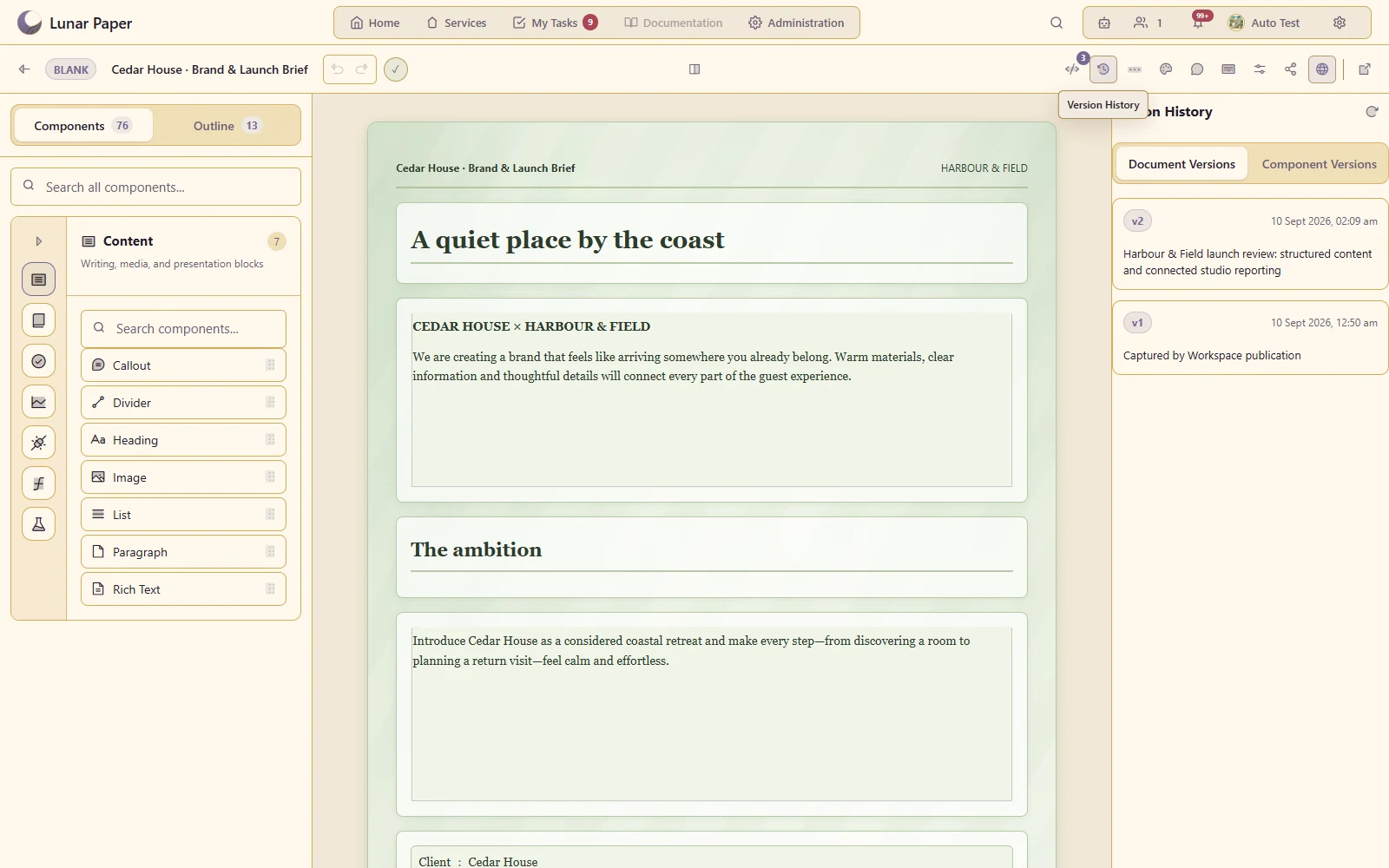
Keep a published launch-review milestone with its version note
A closer look · 19

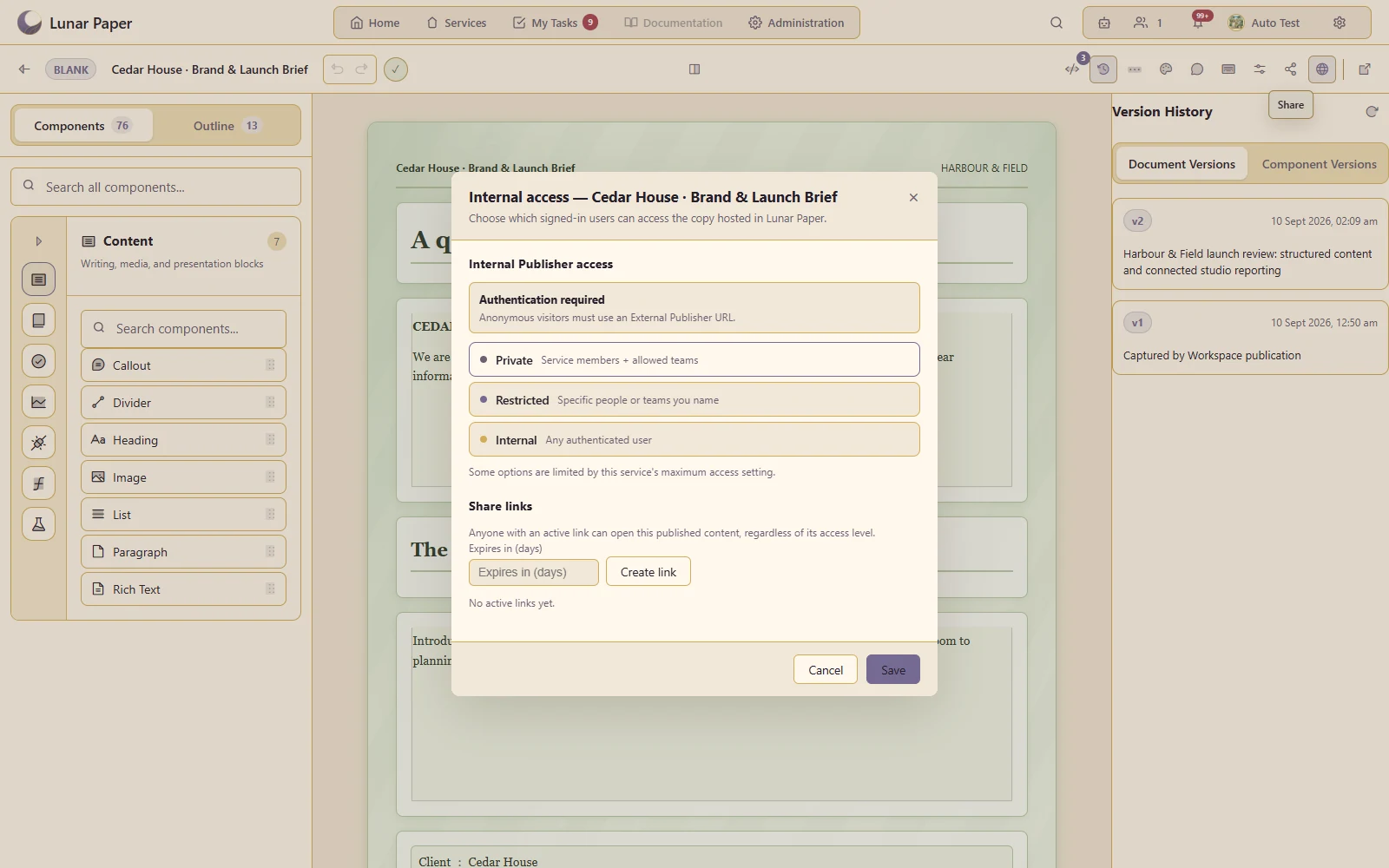
Publishing and access-controlled sharing

Make an approved document available through the supported publication and sharing controls.

Share the published Cedar House brief with a defined internal audience
A closer look · 20

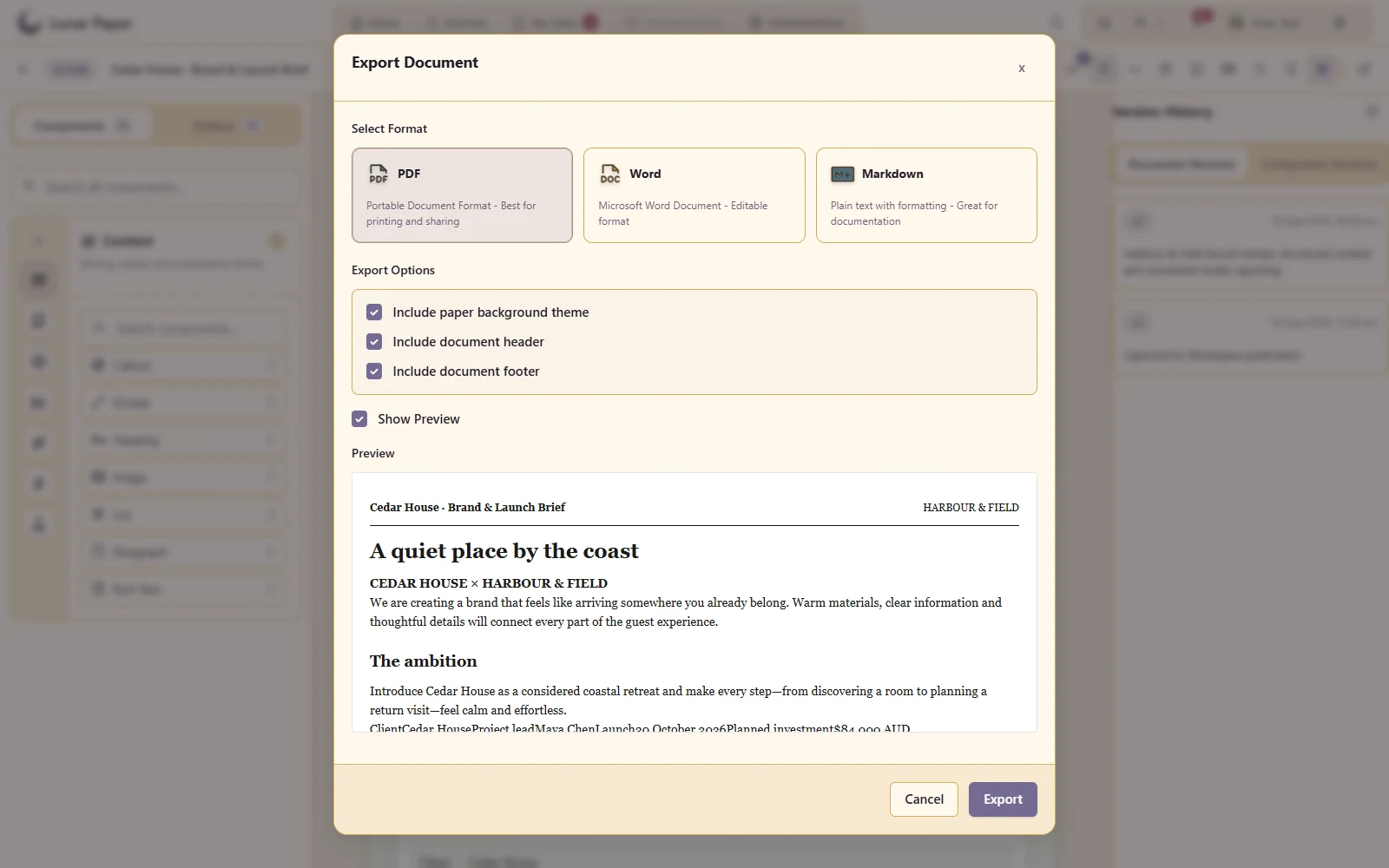
PDF, Word and Markdown export

Deliver the document in the format the recipient needs.

Choose a PDF, Word or Markdown deliverable from the same structured client brief

Additional Details

The main areas Documents brings together.

Structured authoring

Create long-form documents from reusable structures while keeping writing, media and references together.

Professional page design

Control typography, page settings and layout so working documents can become finished deliverables.

Connected content

Bring governed data and content from other applications into documents that need current operational context.

Specialist content

Support requirements, policies, process material, mathematics and other structured professional content.

Review and assisted changes

Collaborate through comments, history and supported assistance while preserving the document’s context.

Publishing and delivery

Share, embed, publish and export documents in formats suited to review, distribution and record keeping.

Get started

Try it on your own machine

Run the platform with all features for free for three people.