
Lunar Paper
English
Applications / Planning and running work

Automation

Design, run and improve repeatable processes in one visual workspace. Automation connects triggers, decisions, human approvals, data, AI and application actions, then records every run so teams can automate routine work without losing visibility or control.

Highlights · 01

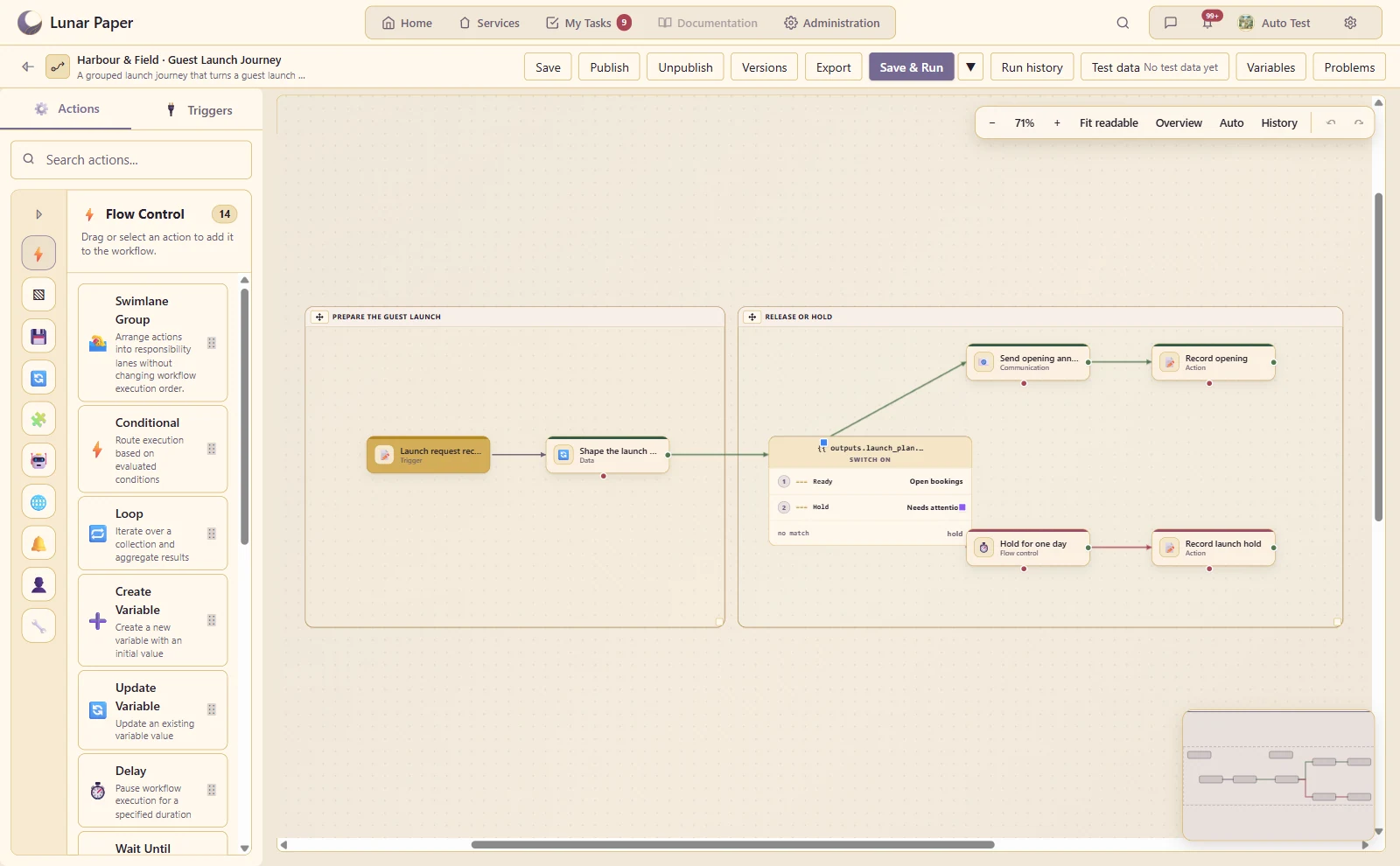
Visual process designer

Build a readable process from connected actions, with named steps and outcomes.

A launch request is shaped inside one visual stage, then routed through a second stage to open bookings or pause for review.
Highlights · 02

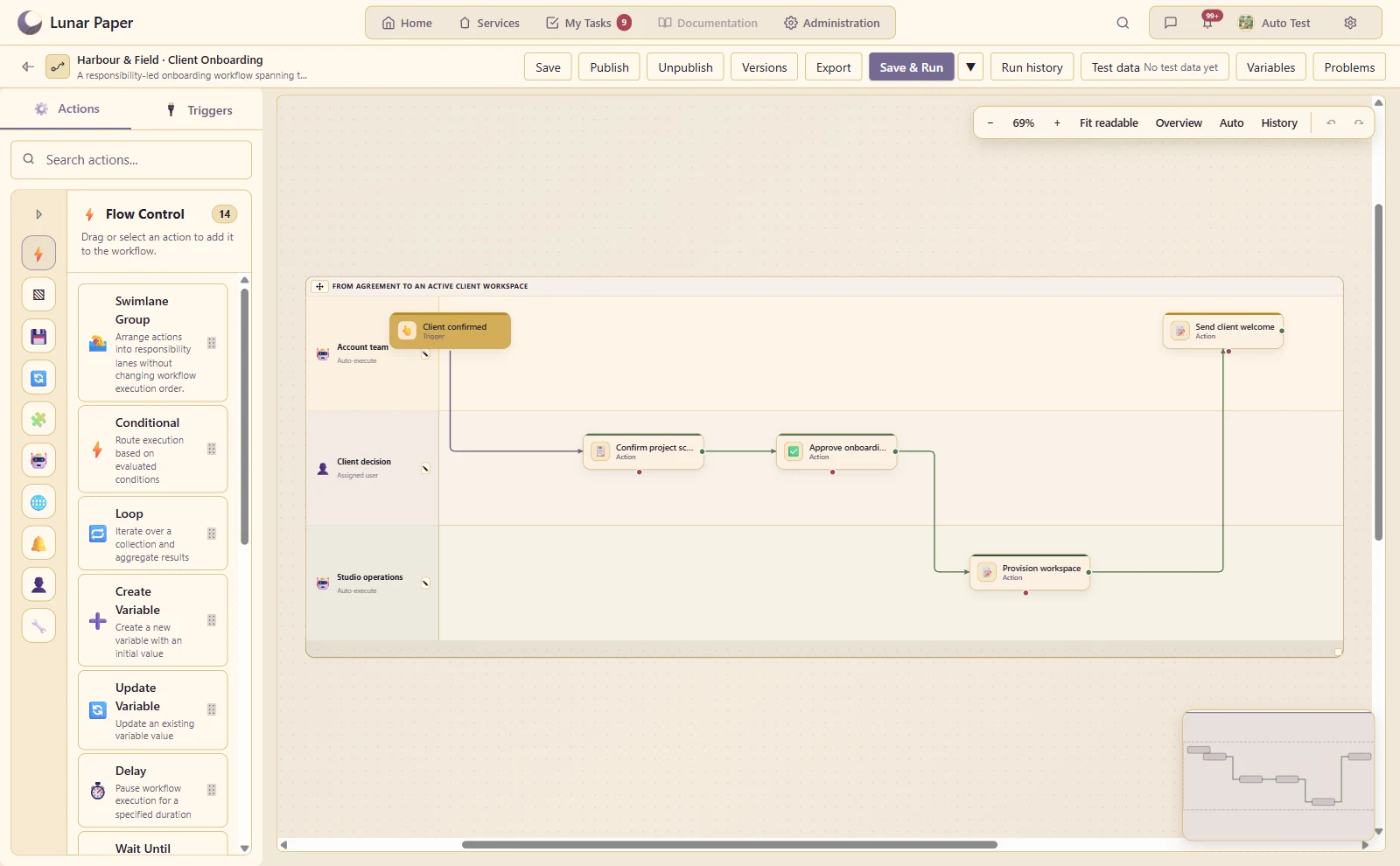
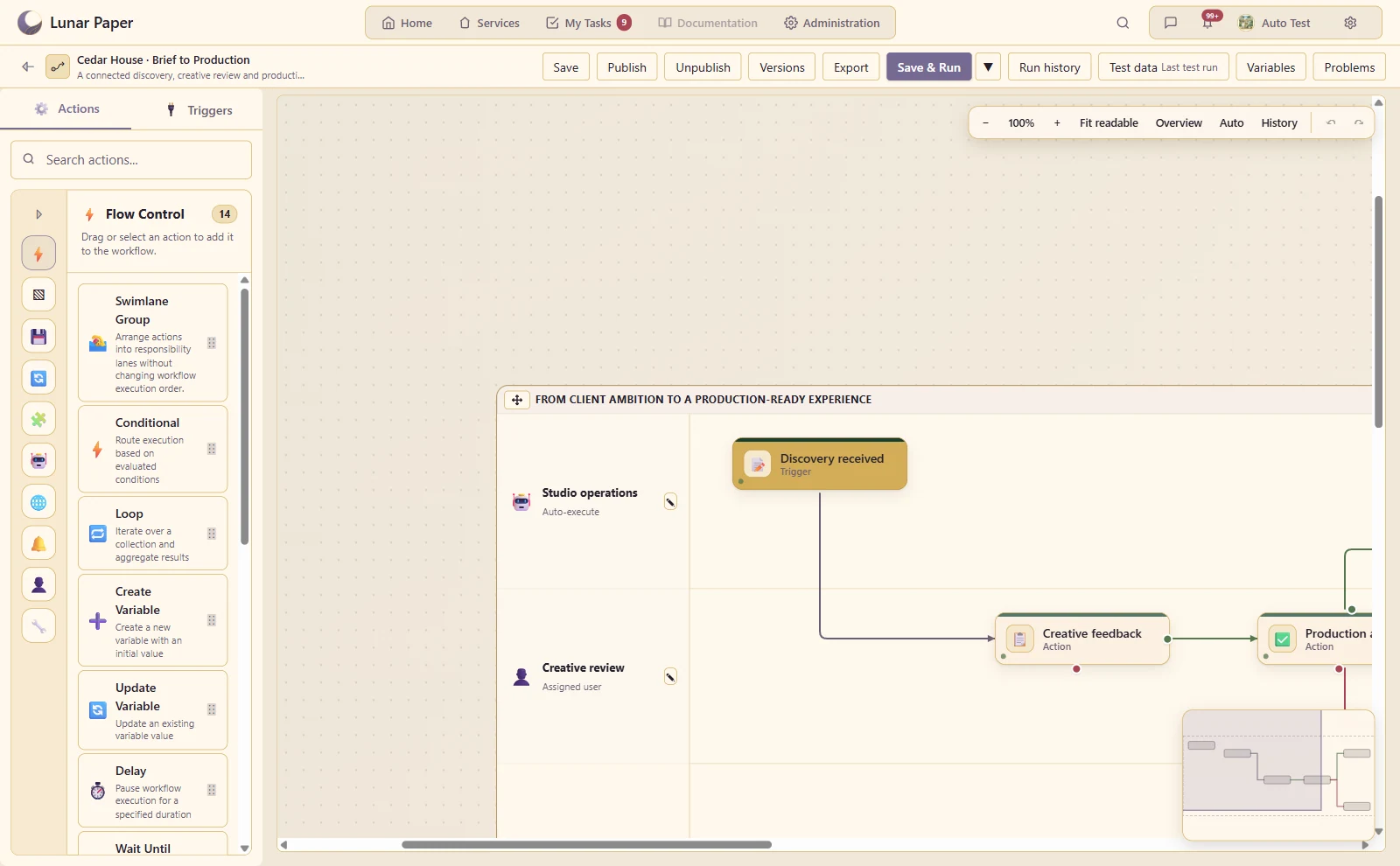
Swimlanes

Make responsibility visible across system, user and team lanes.

Client onboarding moves visibly between the account team, client review and studio operations.
Highlights · 03

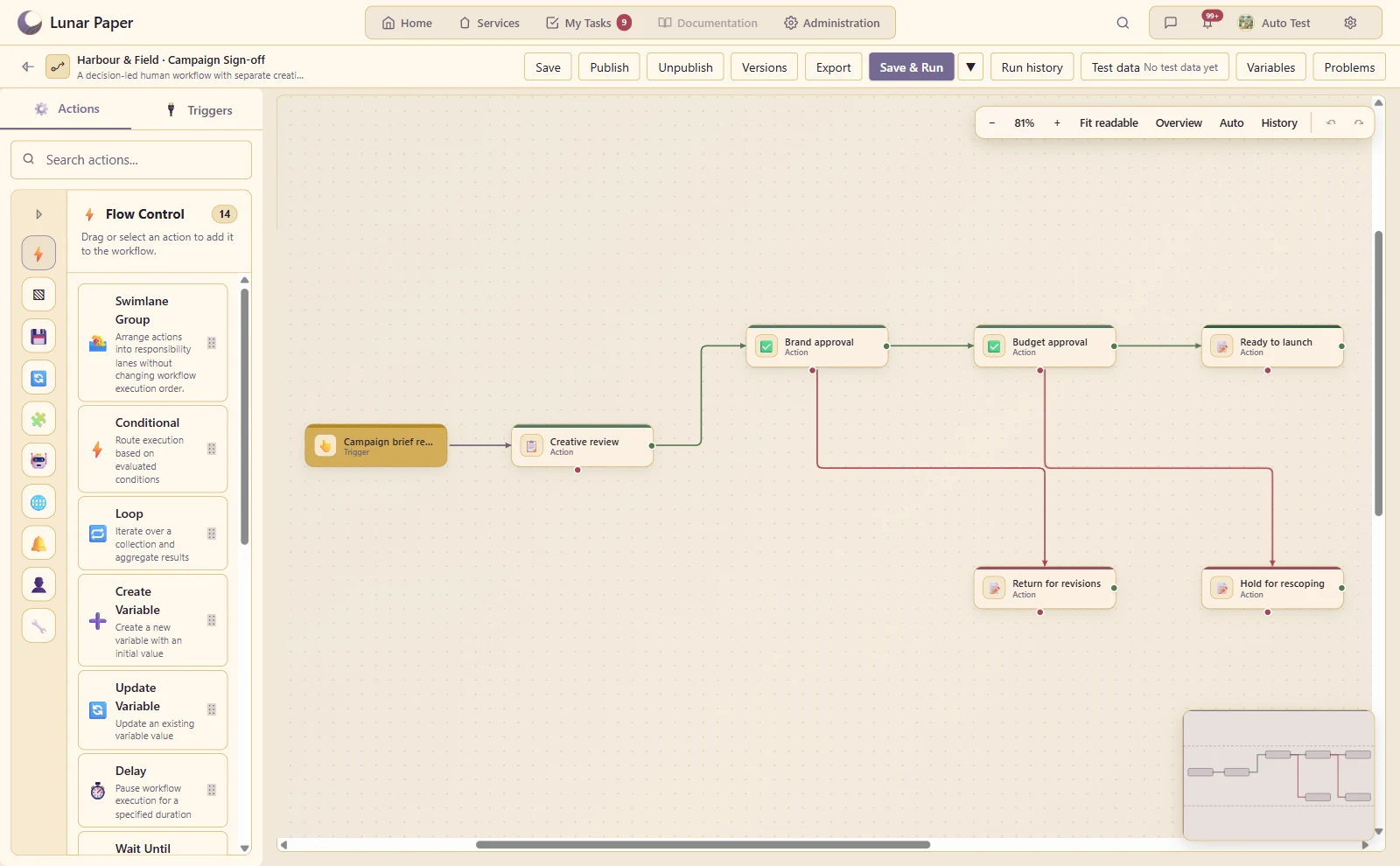
Multi-stage human workflows

Collect information, request approval, and continue only when the person completes the task.

A campaign passes through creative review, brand approval and budget approval with separate revision paths.
Highlights · 04

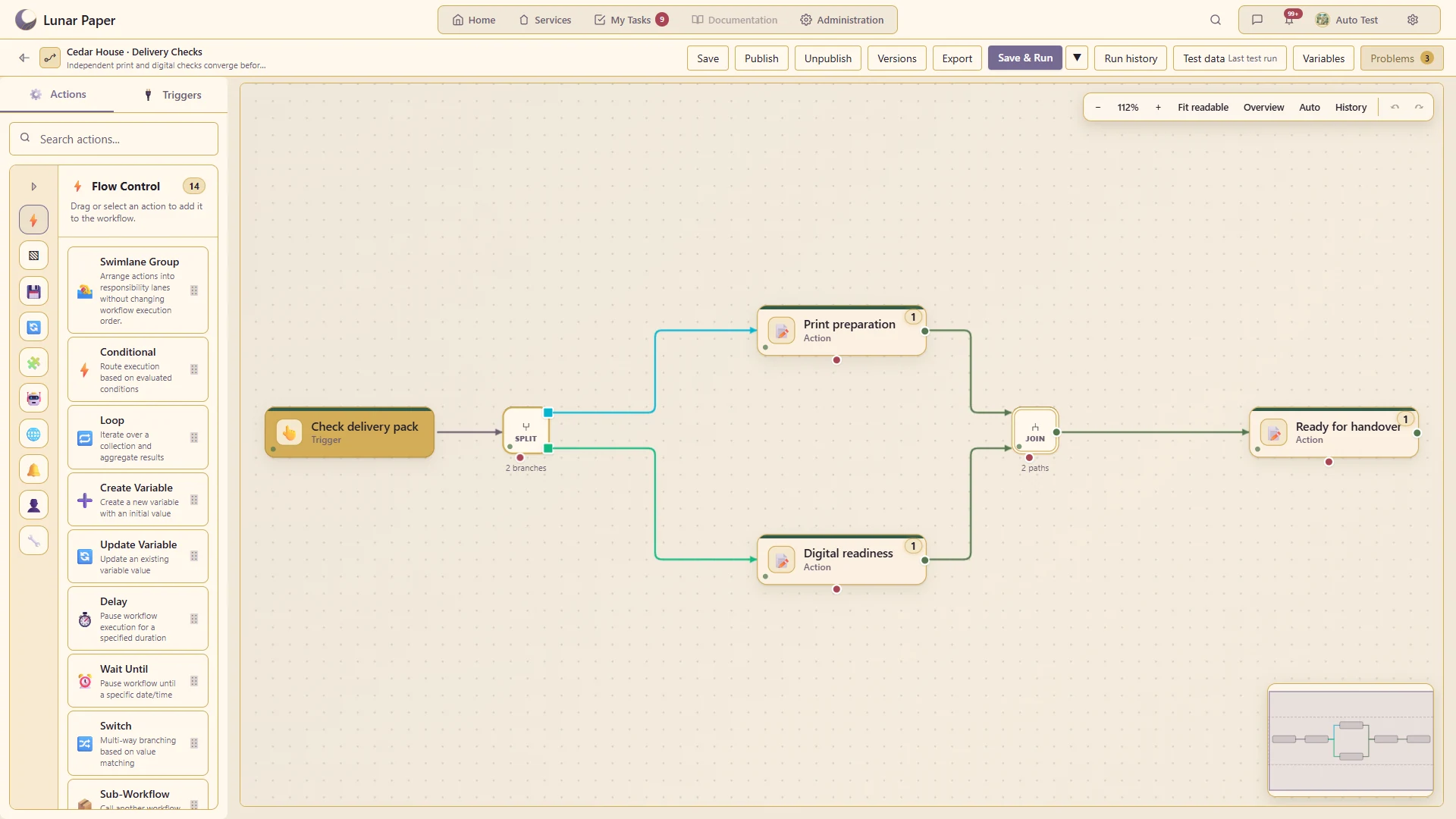
Parallel branches and joins

Run independent work together and show where the branches converge.

Print preparation and digital readiness run independently and meet at a shared join.
Highlights · 05

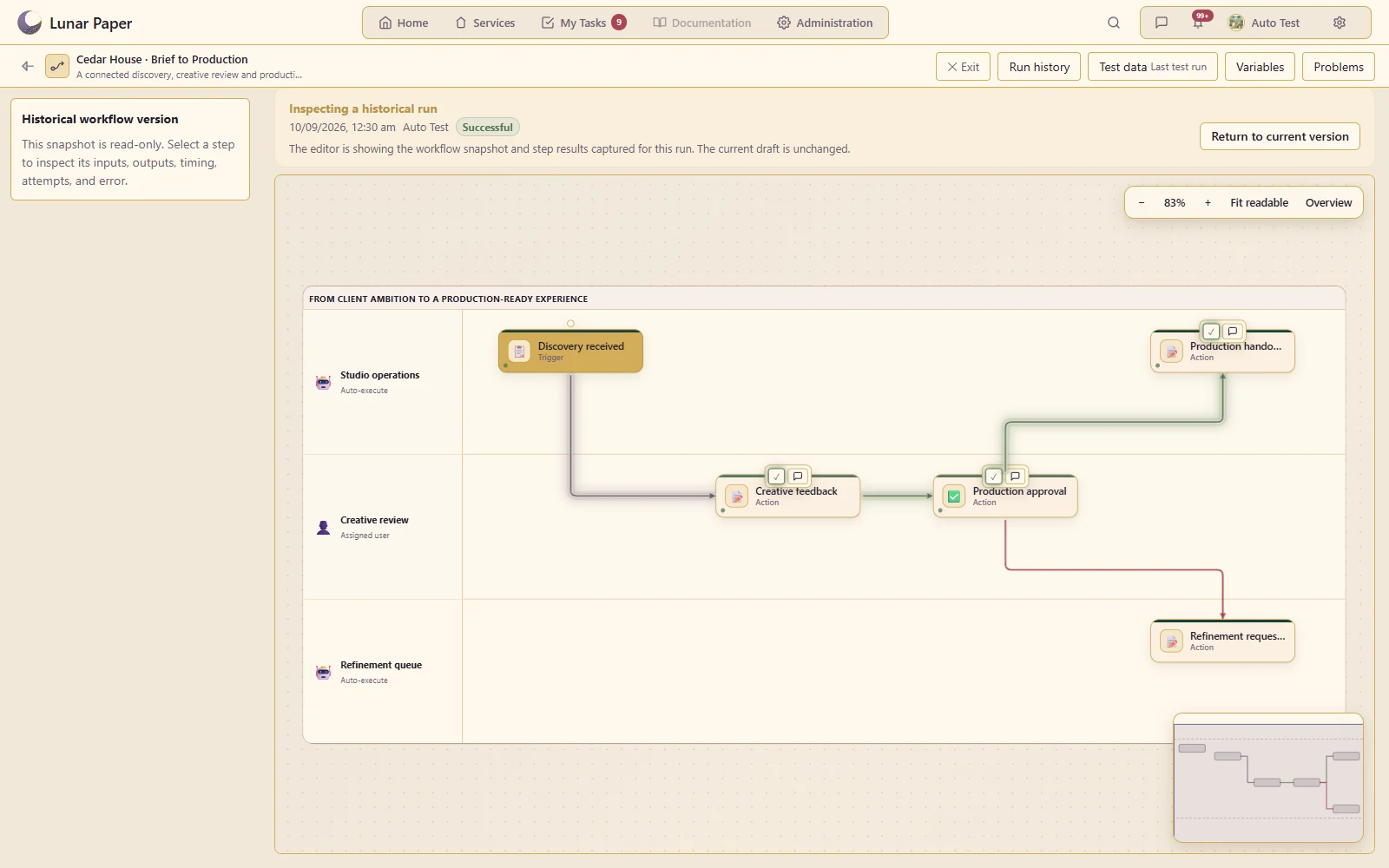
Live execution and run history

Follow a run step by step and inspect the inputs, results and logs.

The workflow continues through production handover after both human stages complete

A closer look

06 — 20
A closer look · 06

Form submission triggers

Start a process from a submitted form and use the submitted answers downstream.

A submitted Client Discovery Brief starts the production-review workflow on the canvas.
A closer look · 07

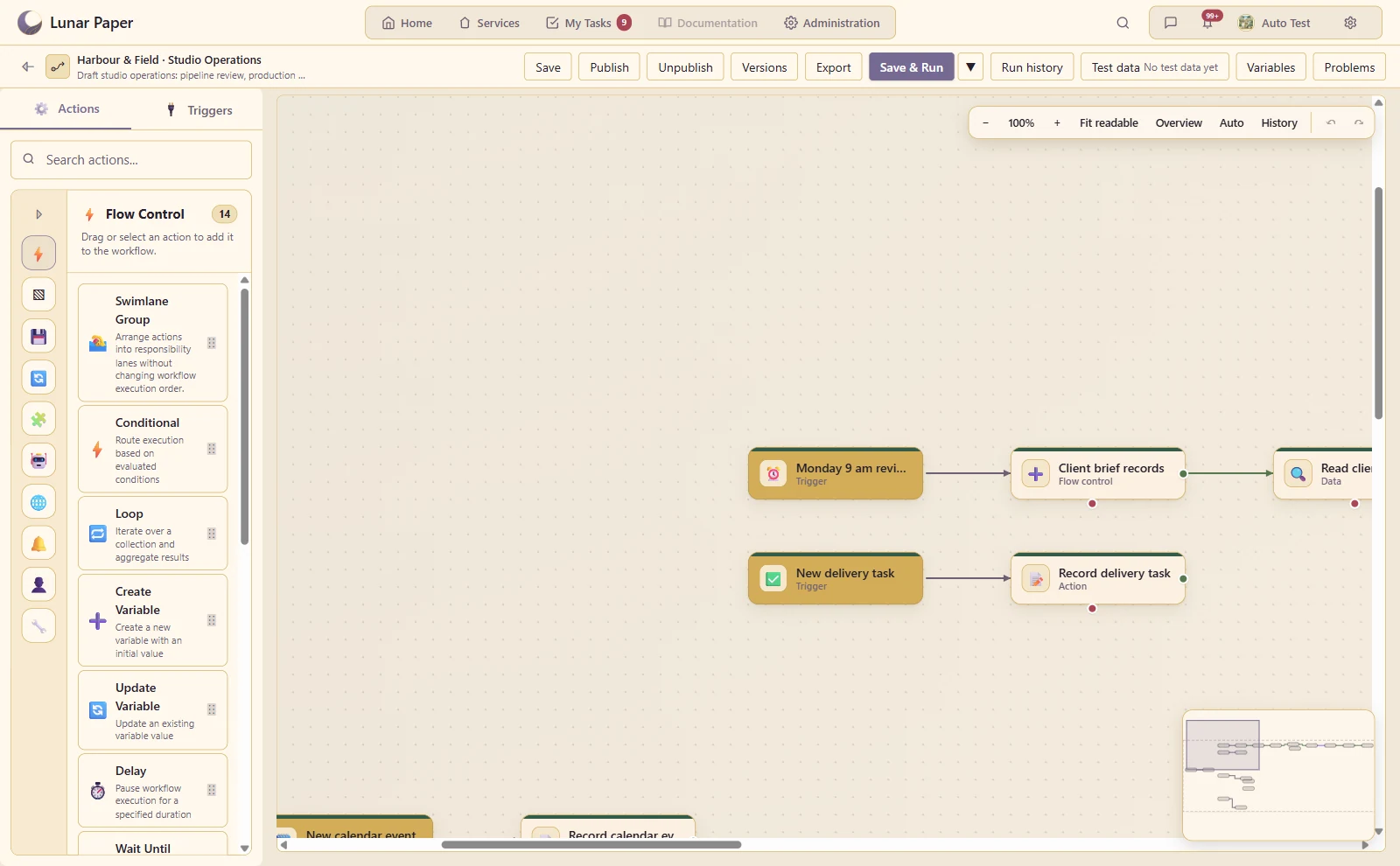
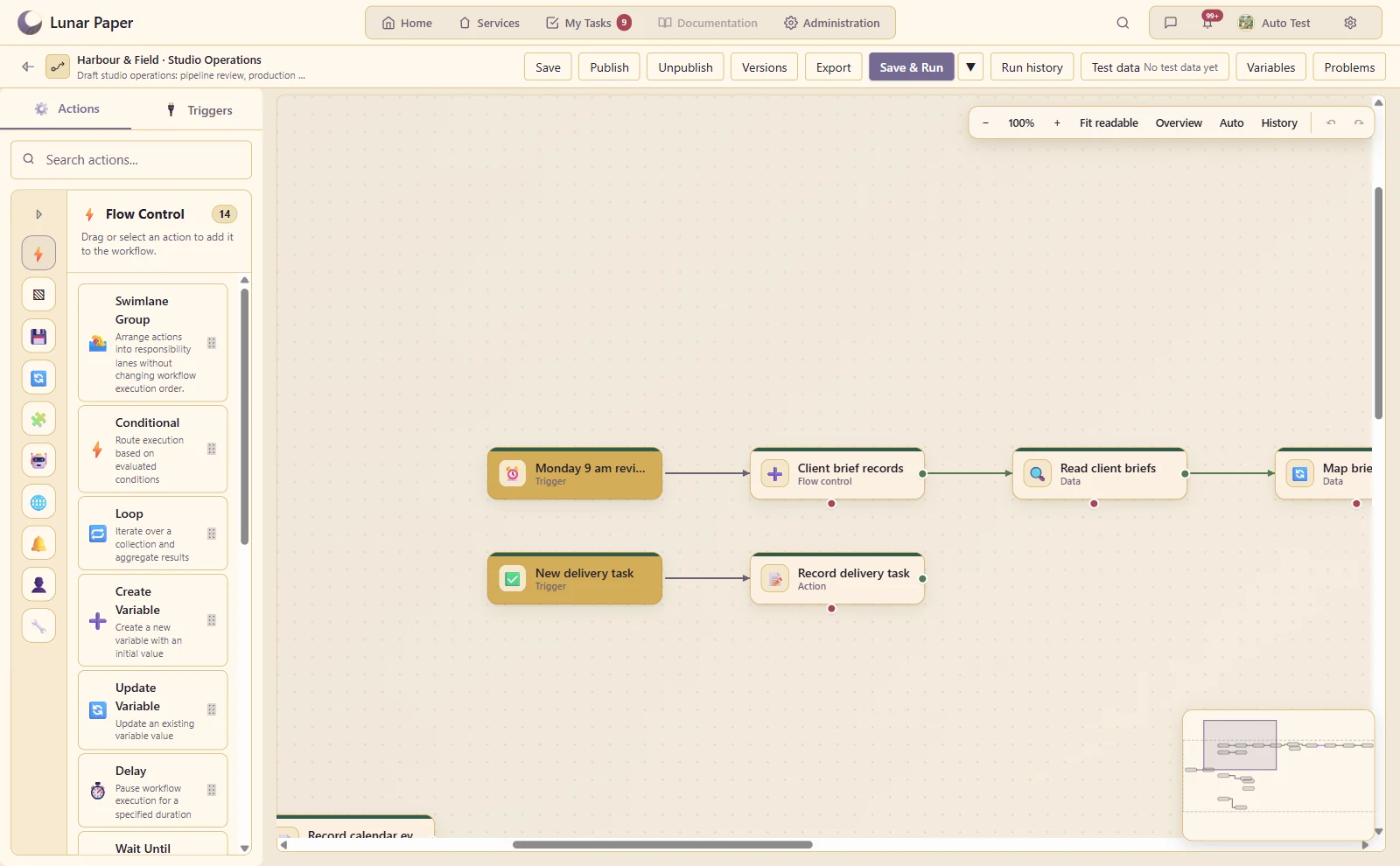
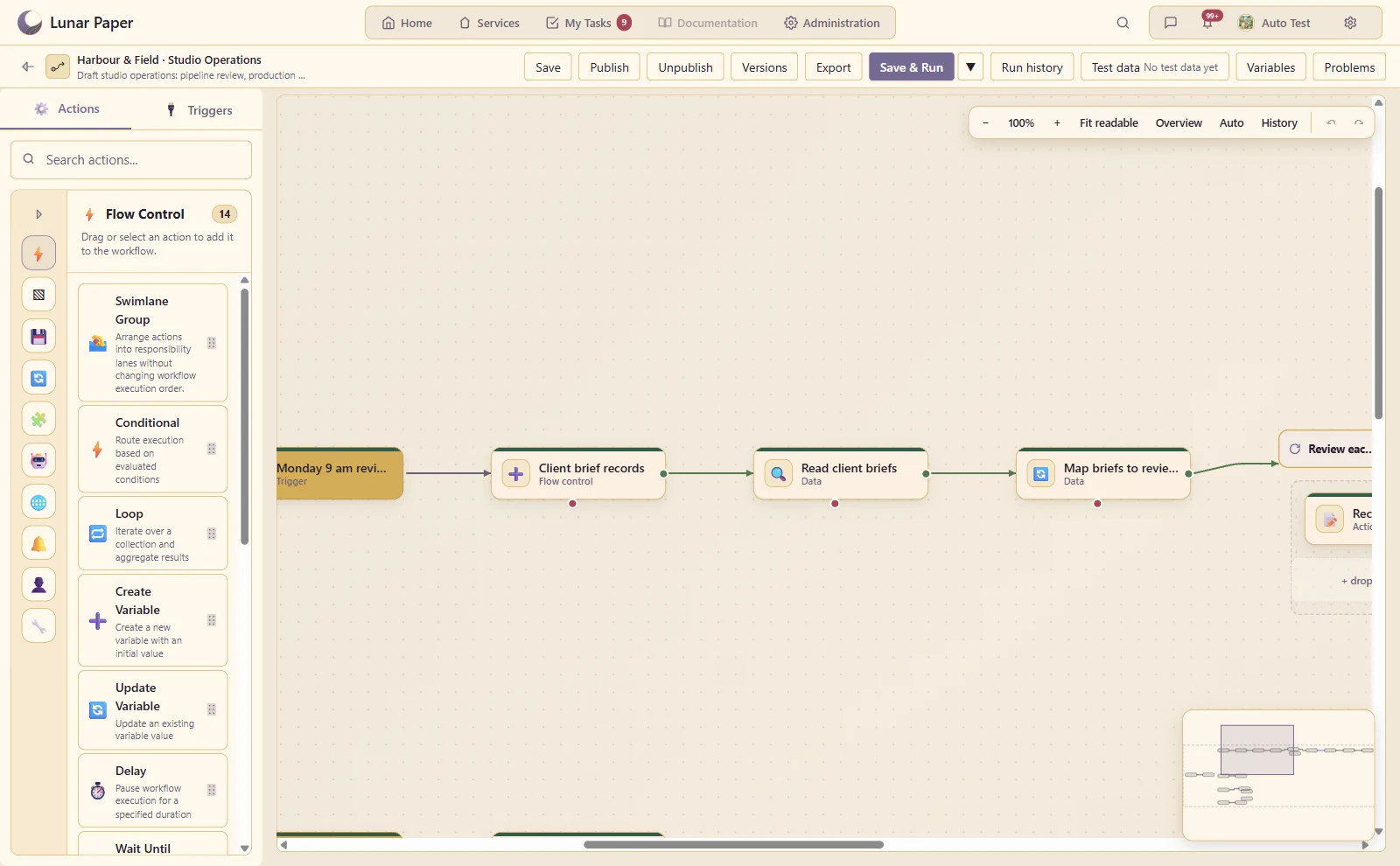
Scheduled triggers

Run recurring work on an explicit schedule and timezone.

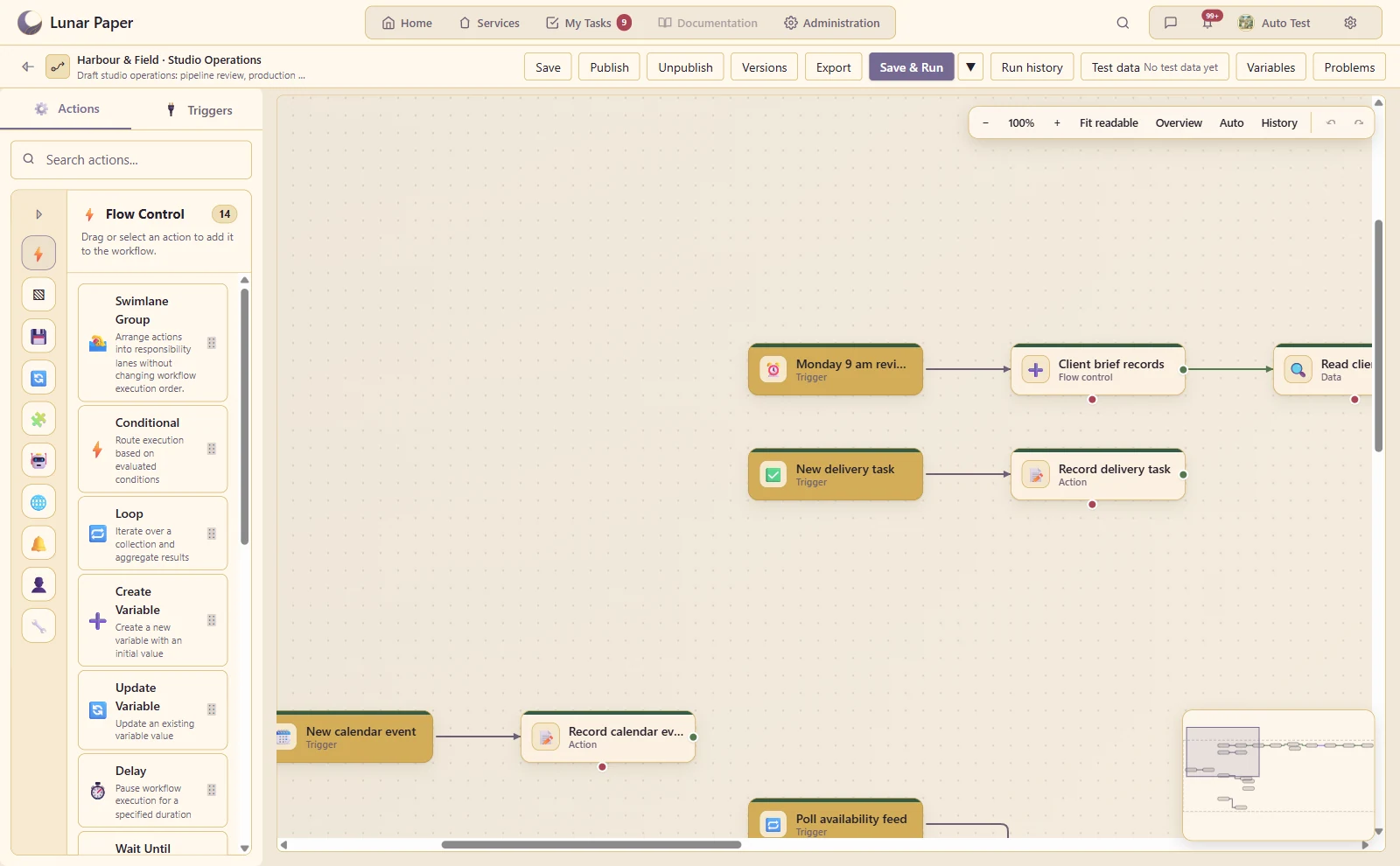
A Monday 9 am schedule starts the studio review in the Australia/Darwin time zone.
A closer look · 08

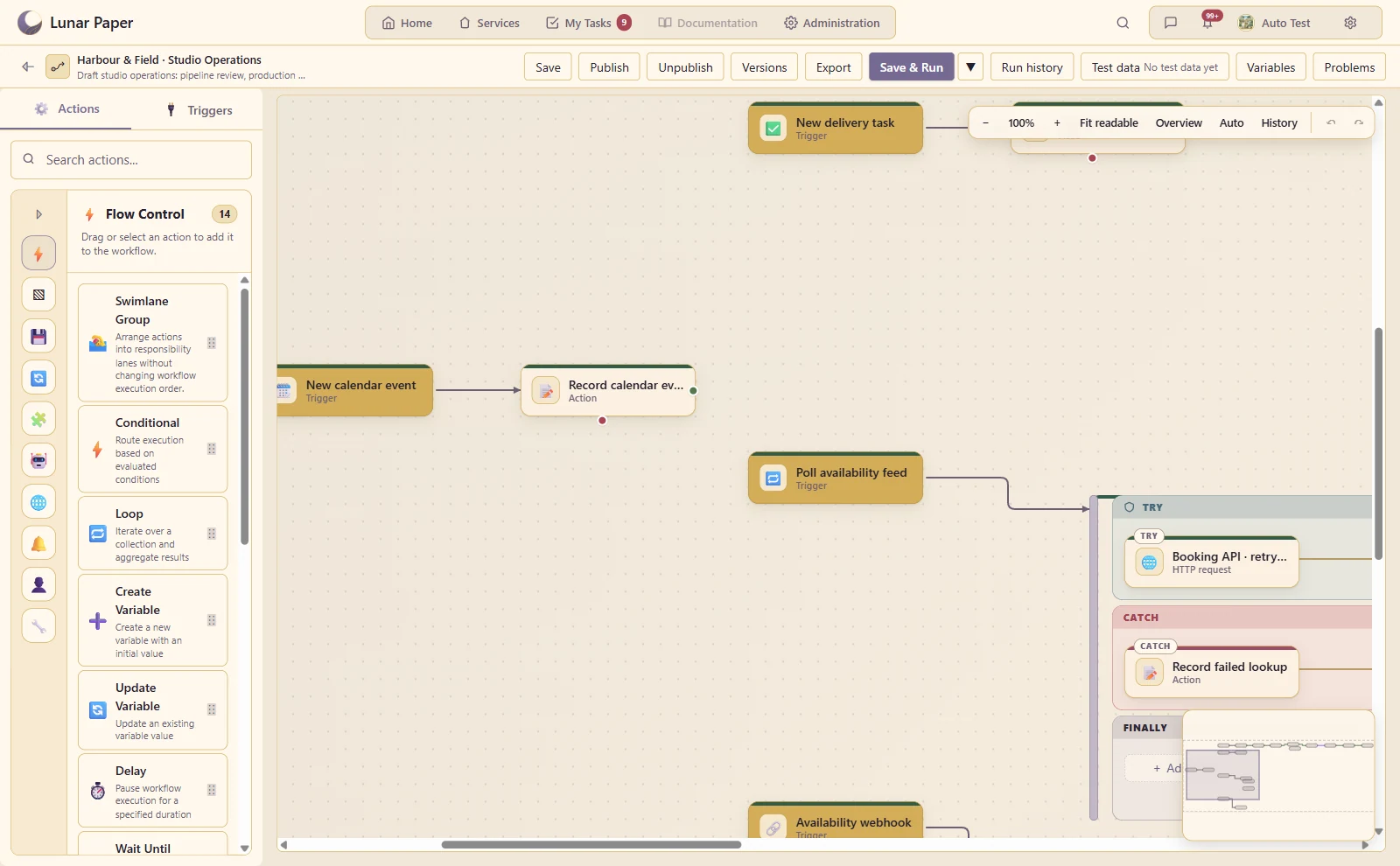
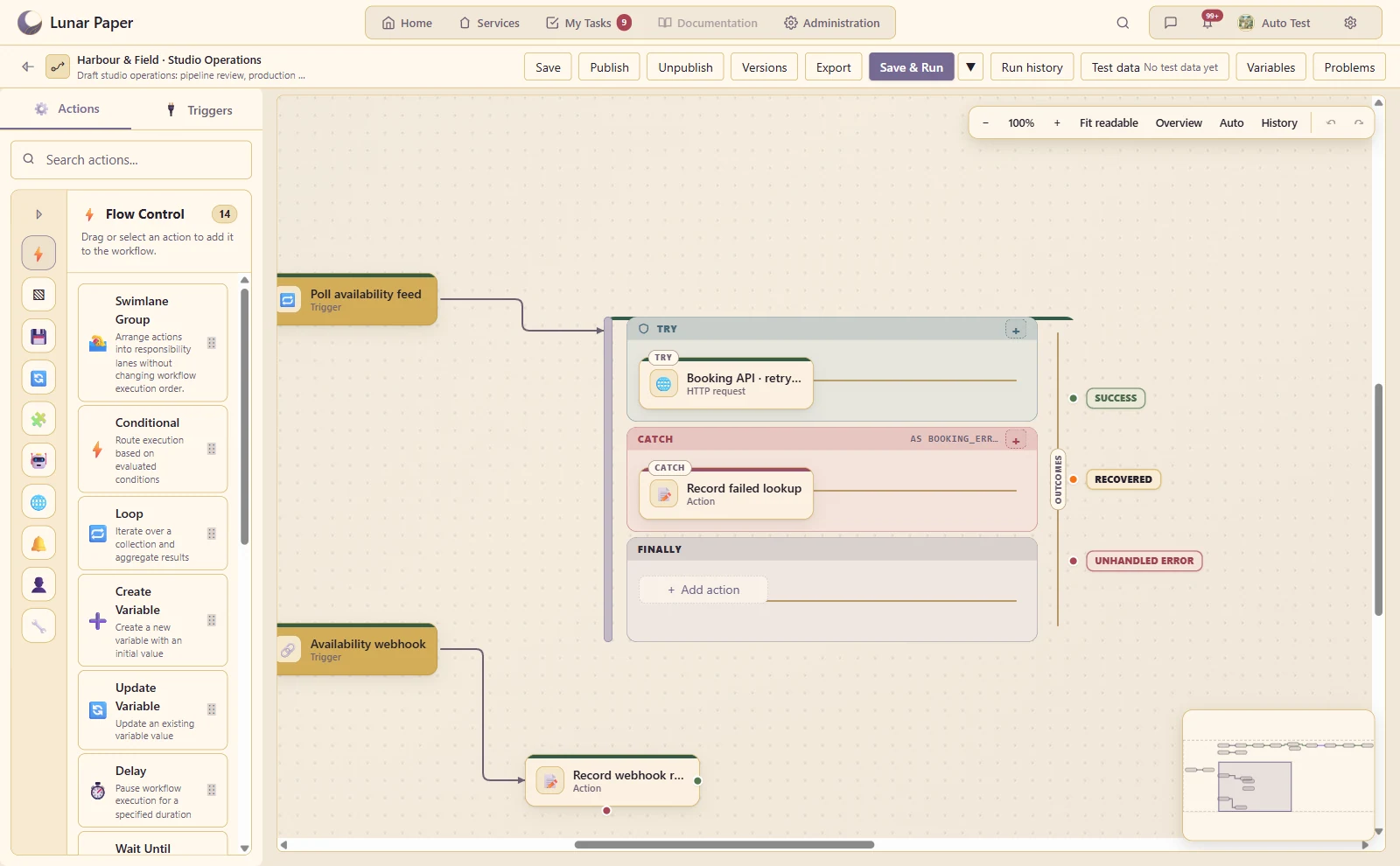
Webhooks and HTTP polling

Start work from a configured external event or endpoint.

An availability webhook and a polling trigger start separate integration paths.
A closer look · 09

Application event triggers

React to supported changes in projects, calendars and other released applications.

A new delivery task can start application work directly from the workflow canvas.
A closer look · 10

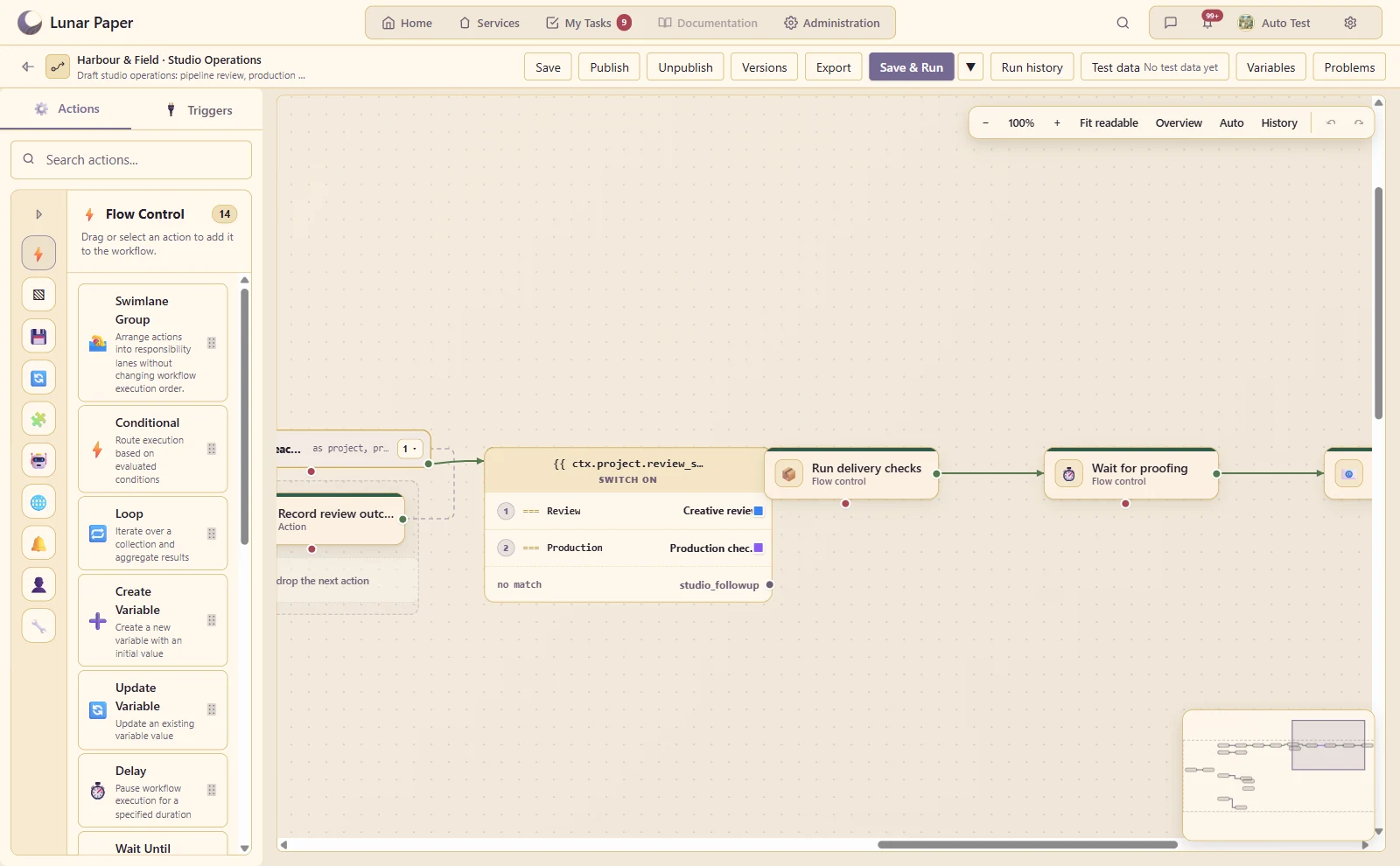
Conditions and switches

Route work according to submitted values or previous action results.

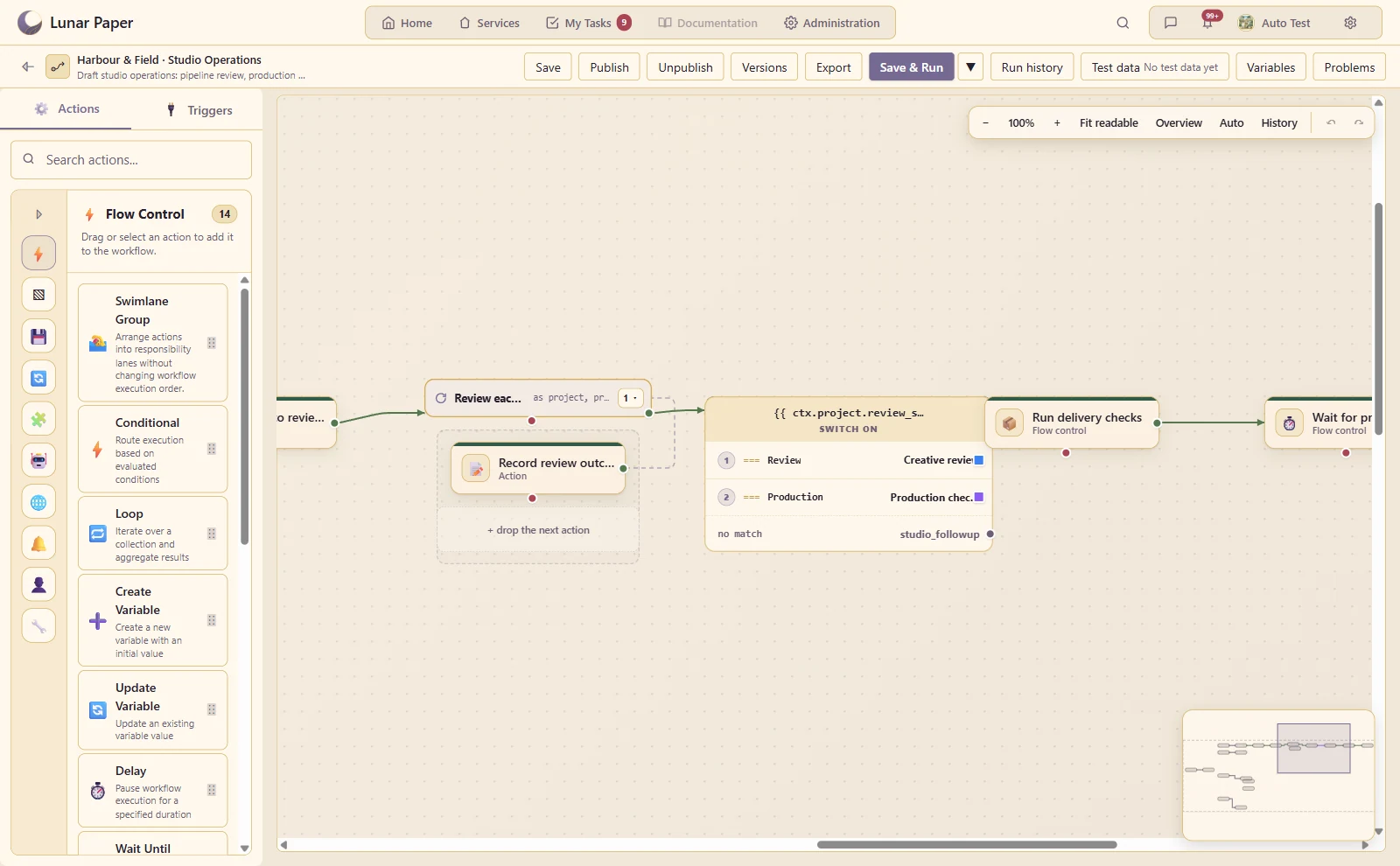
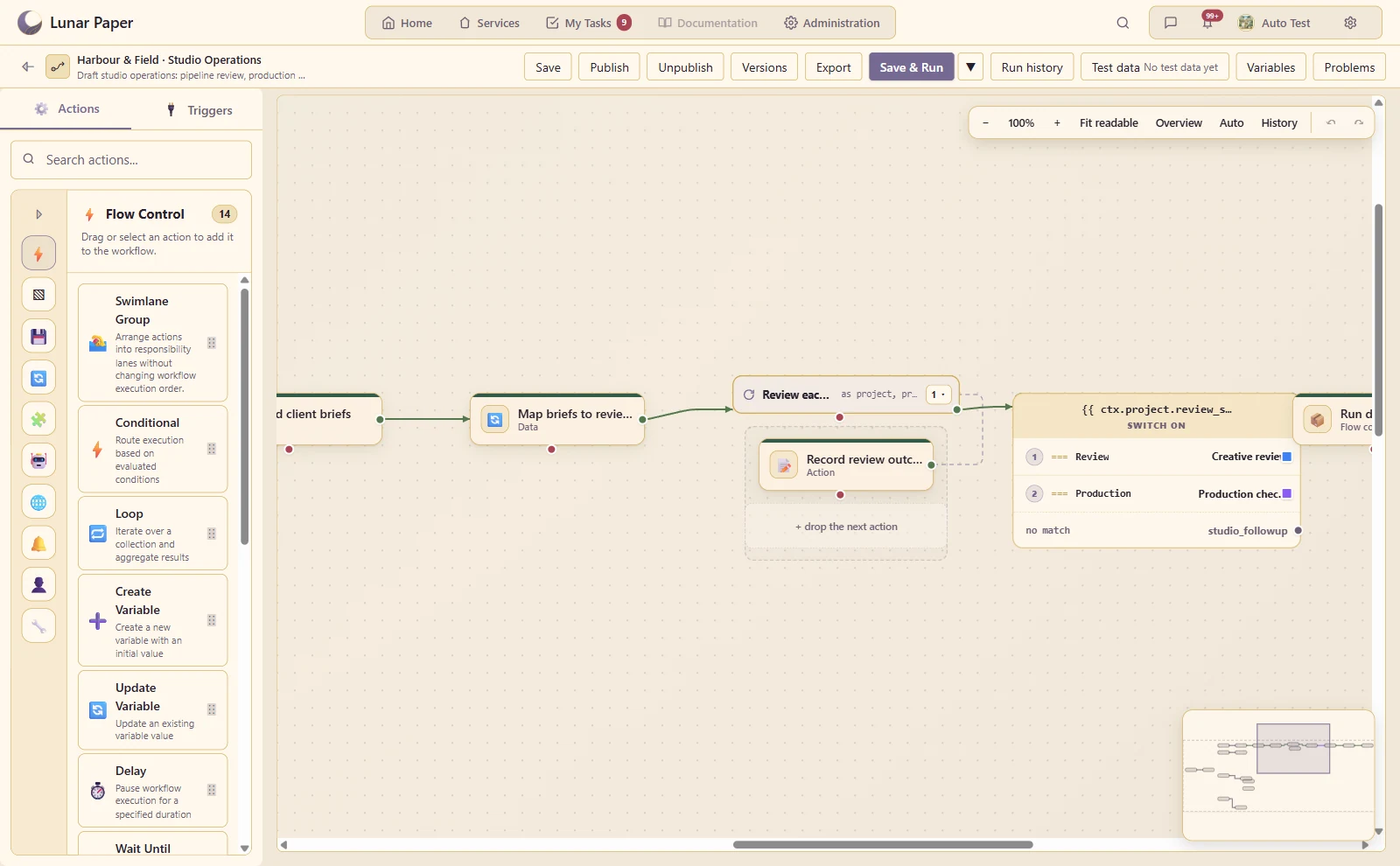
The review-stage switch sends each project to its named creative or production path.
A closer look · 11

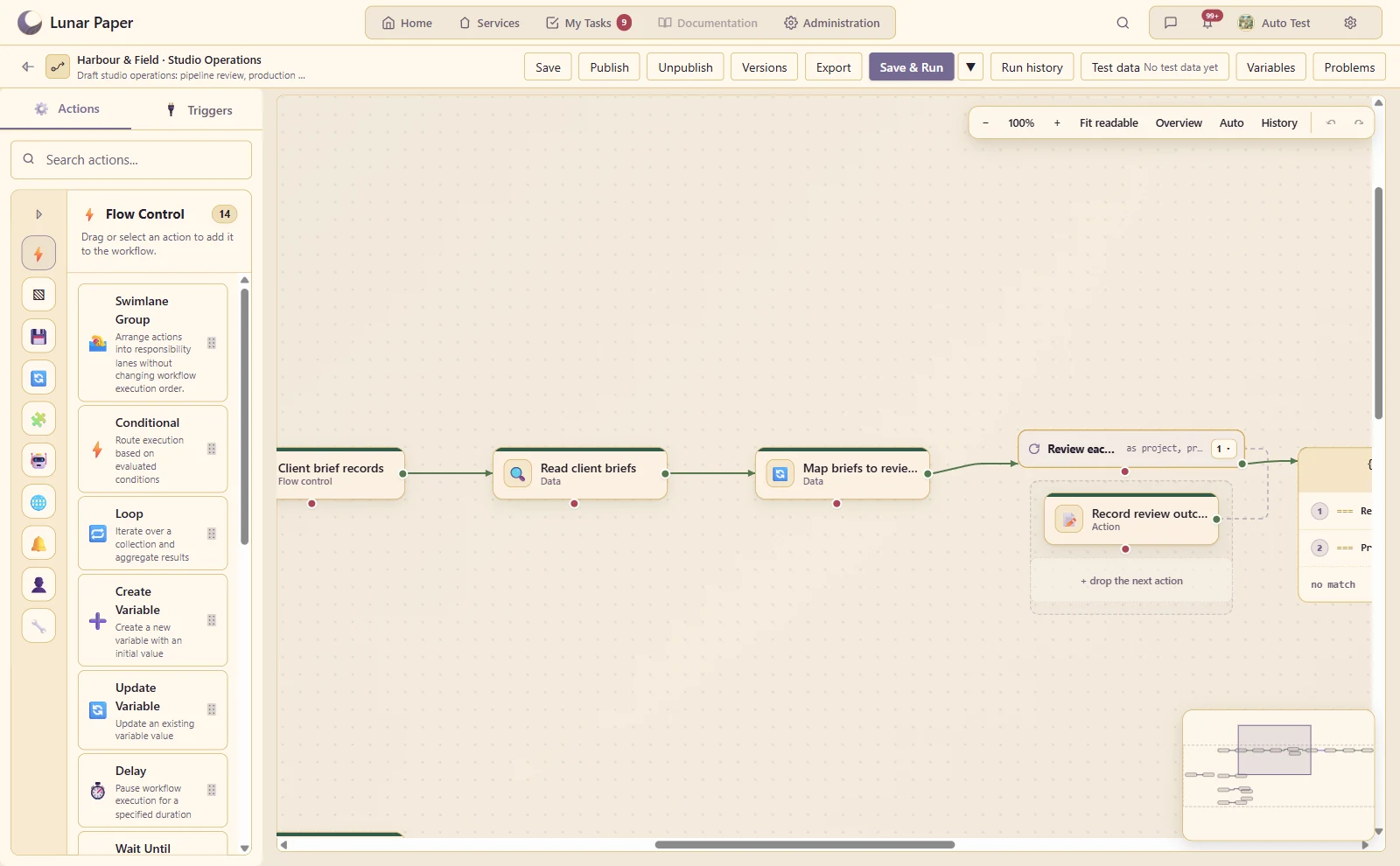
Loops over collections

Process a set of records with repeatable actions and per-item context.

The project loop contains the work performed for each review record and returns to the next item.
A closer look · 12

Delays and waiting

Pause a process until the configured interval or human event allows it to continue.

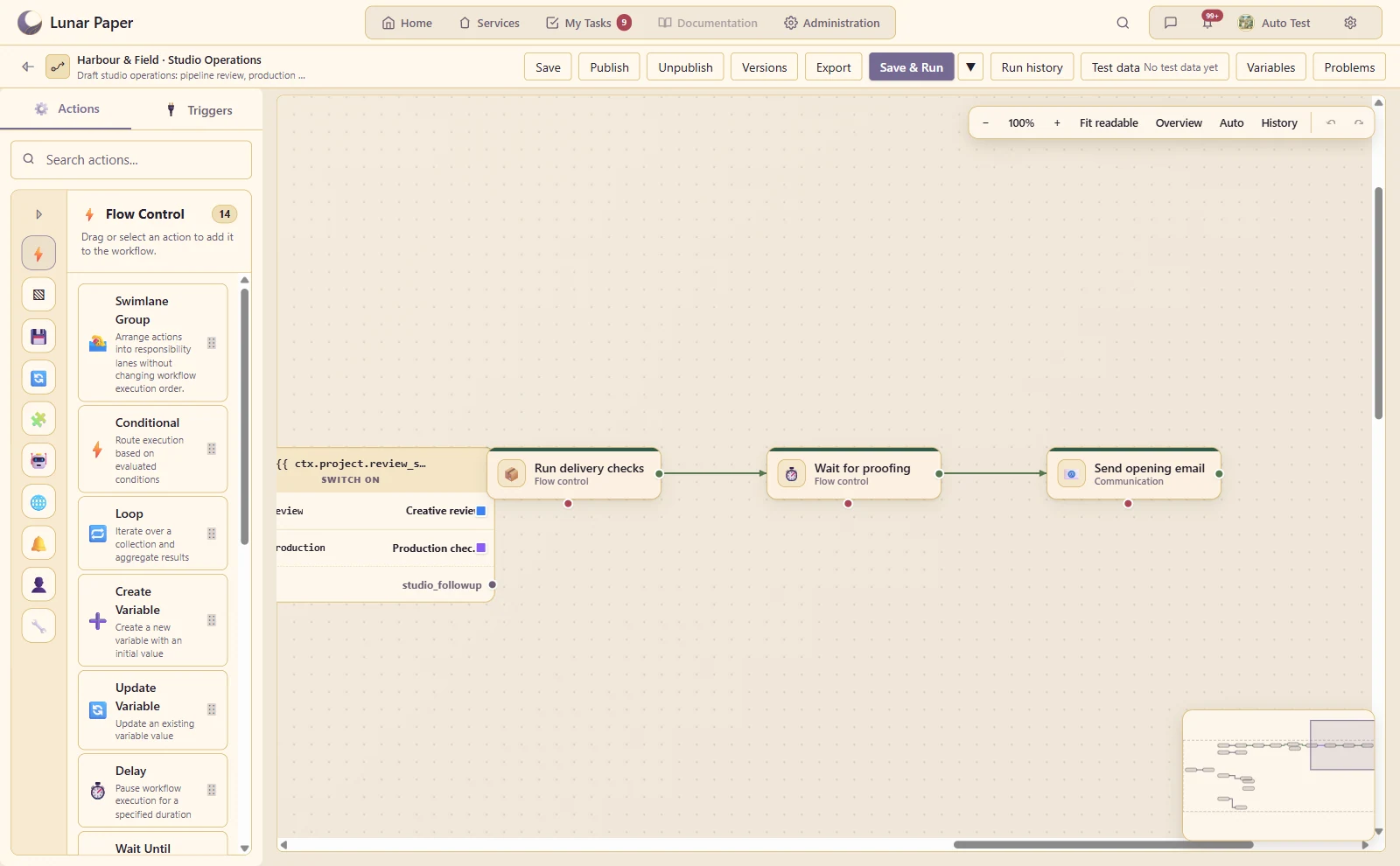
A visible waiting step leaves two hours for proofing before the opening email continues.
A closer look · 13

Reusable sub-workflows

Call a common process from another workflow and pass its inputs and outputs.

The studio workflow calls the reusable delivery-check process as a connected step.
A closer look · 14

Variables and expression picker

Bind action settings to values available at that point in the process.

A named client-brief variable sits upstream of the query and remains available to later actions.
A closer look · 15

Data transformations

Reshape arrays, text, numbers and dates before handing data to the next step.

Submitted brief fields are reshaped into the review data used by the loop and routing steps.
A closer look · 16

Data Hub actions

Query saved data and perform supported data operations through configured connections.

The workflow reads client briefs from Data Hub before preparing the review list.
A closer look · 17

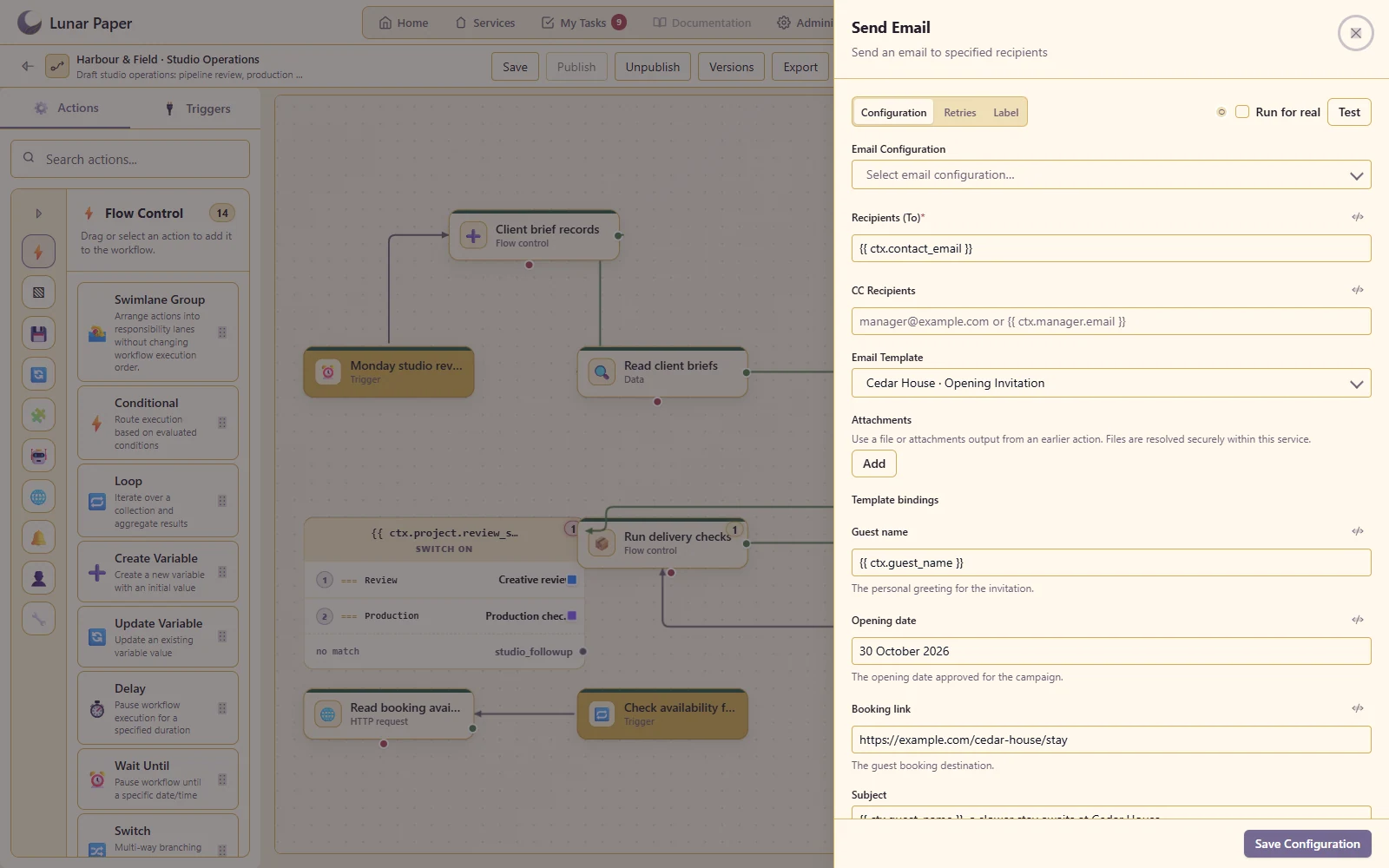
Email templates and notifications

Send a reusable Email Builder template with values from the running process.

Connect the opening invitation to workflow values for the guest, date and booking link
A closer look · 18

HTTP and REST actions

Call another system and use its response in subsequent steps.

The booking API request is visible inside a protected integration step on the canvas.
A closer look · 19

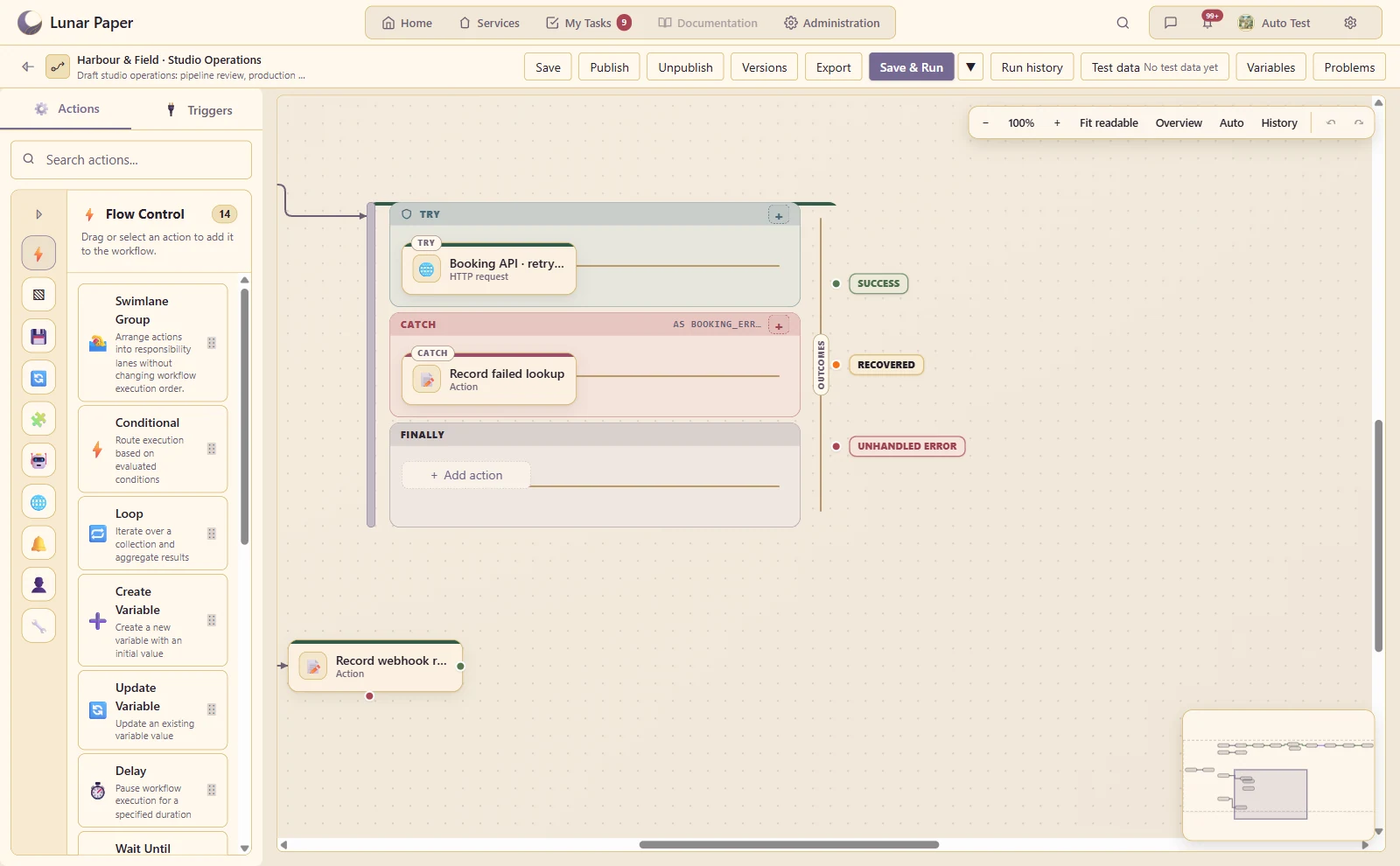
Error handling and retries

Configure and inspect failure paths instead of treating every run as a successful straight line.

The booking lookup retries transient failures and follows a named recovery path when it still fails.
A closer look · 20

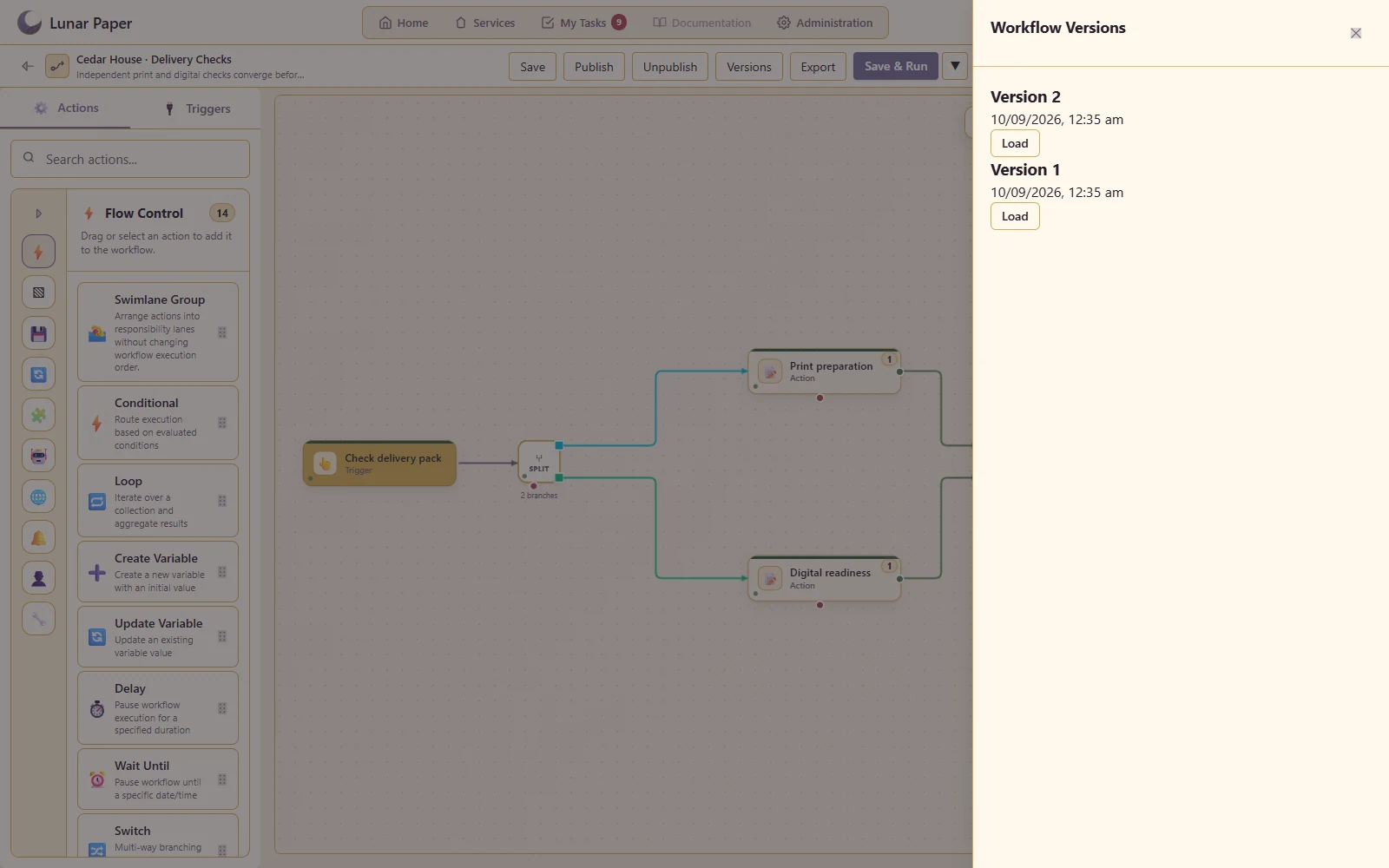
Drafts, versions and publication

Develop a change while keeping a recorded version of the process being run.

Keep a published delivery process alongside its recorded versions

Additional Details

The main areas Automation brings together.

Visual workflow design

Build and organise multi-step automations on a visual canvas with clear paths through the process.

Triggers and schedules

Start work from forms, application events, schedules, web requests and other operational signals.

Logic and data handling

Use conditions, loops, variables, expressions and transformations to shape how a workflow behaves.

People and application actions

Connect automated steps with assignments, communication and actions across the wider platform.

AI-assisted actions

Add supported AI steps where a process benefits from generation, extraction or interpretation.

Testing and operations

Validate workflows, review versions and follow runs, waiting work and failures from operational views.

Get started

Try it on your own machine

Run the platform with all features for free for three people.