
Lunar Paper
English
Applications / Design and media

Audio Creator

Audio Creator brings interactive instruments, recorded performances, a multi-track timeline, automation, mixing, spatial sound, reusable presets and flexible exports together, so teams can take music, ambience, narration and sound effects from first idea to delivery without leaving the platform.

Highlights · 01

Multi-track arrangement

Build a composition from clearly named musical and atmospheric parts.

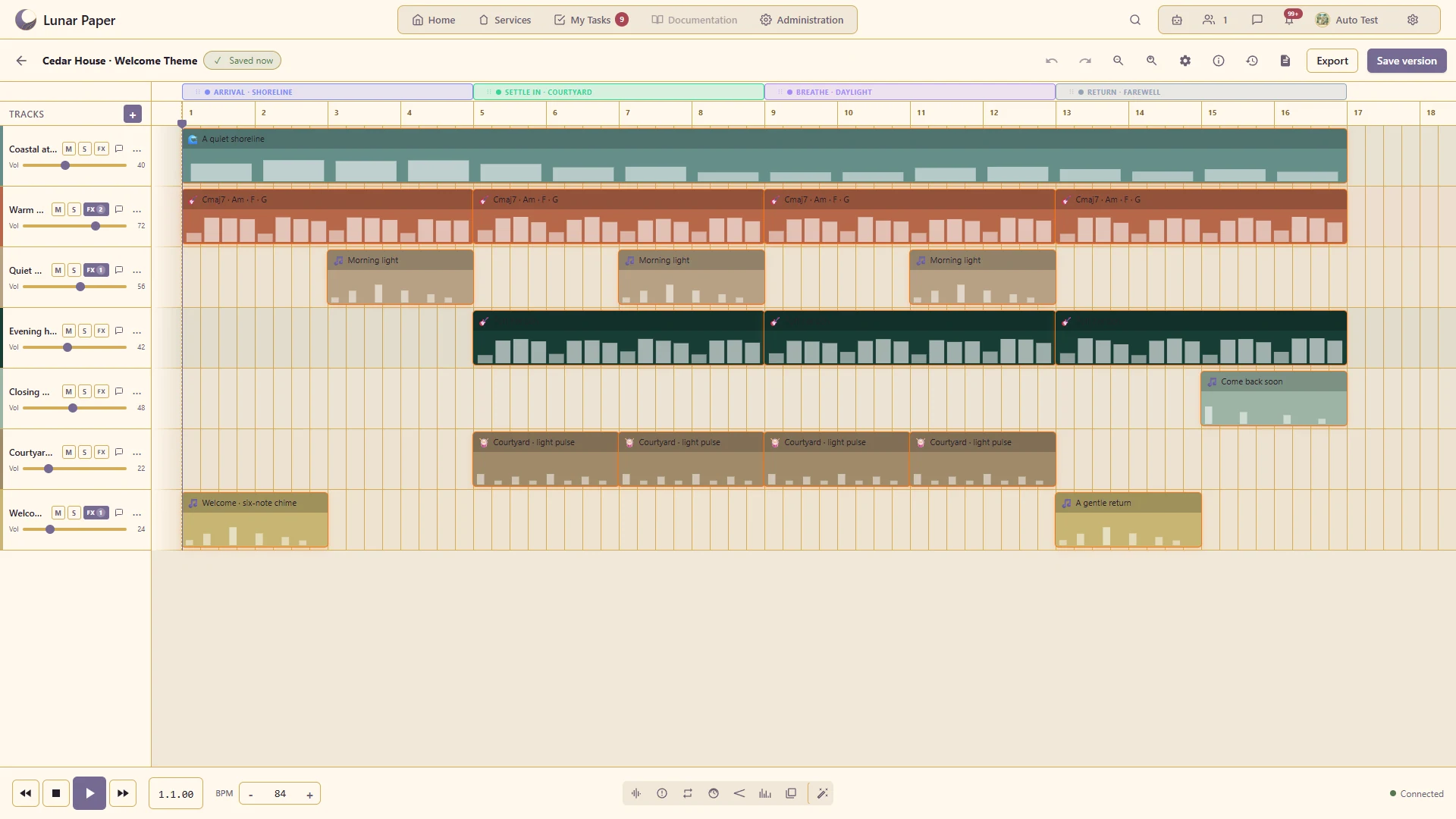
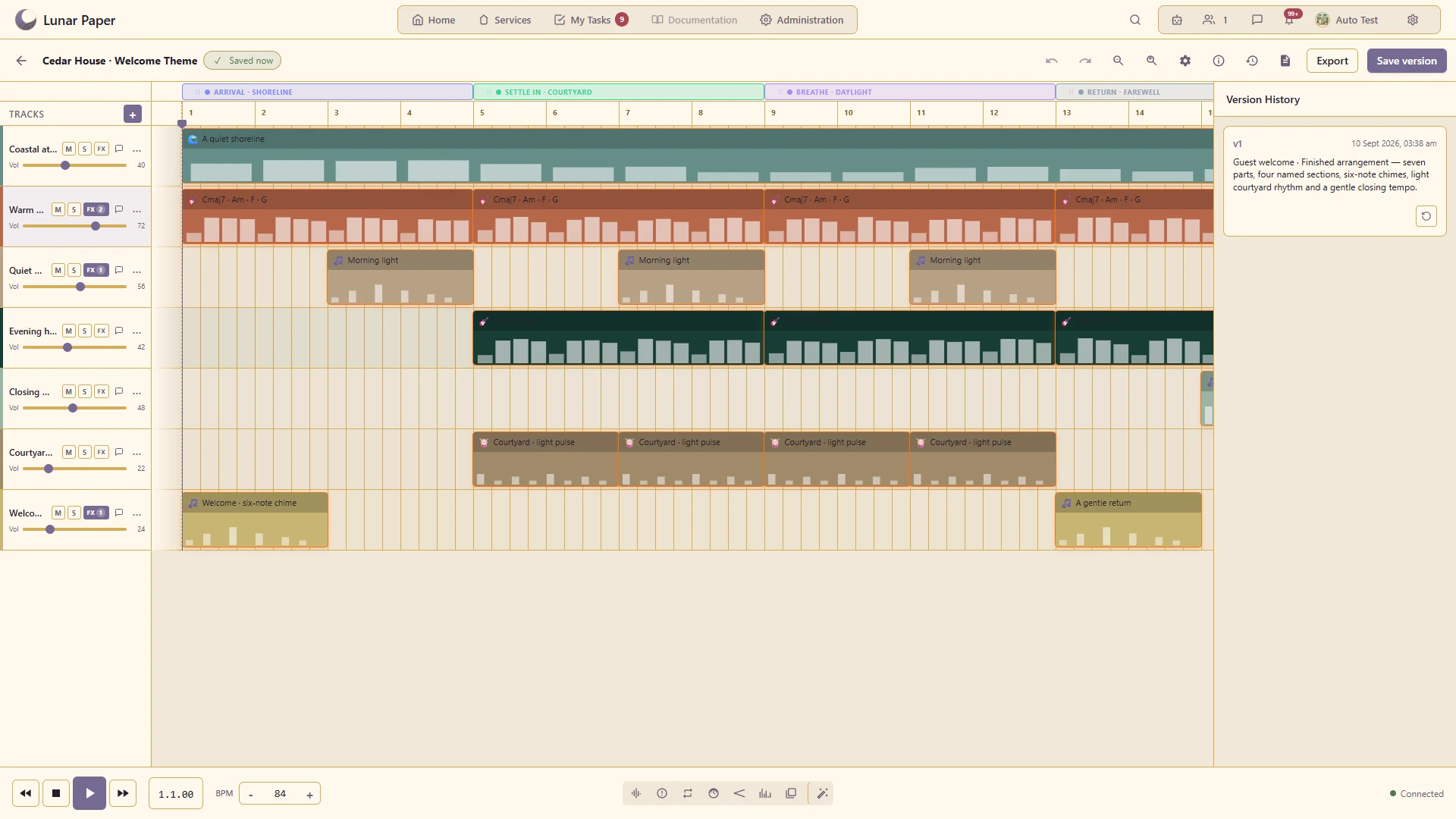
Seven named tracks develop through four sections, combining shoreline atmosphere, piano, melodic phrases, light percussion and a welcoming chime.
Highlights · 02

Playable virtual instruments

Record a musical performance with the available instrument interfaces.

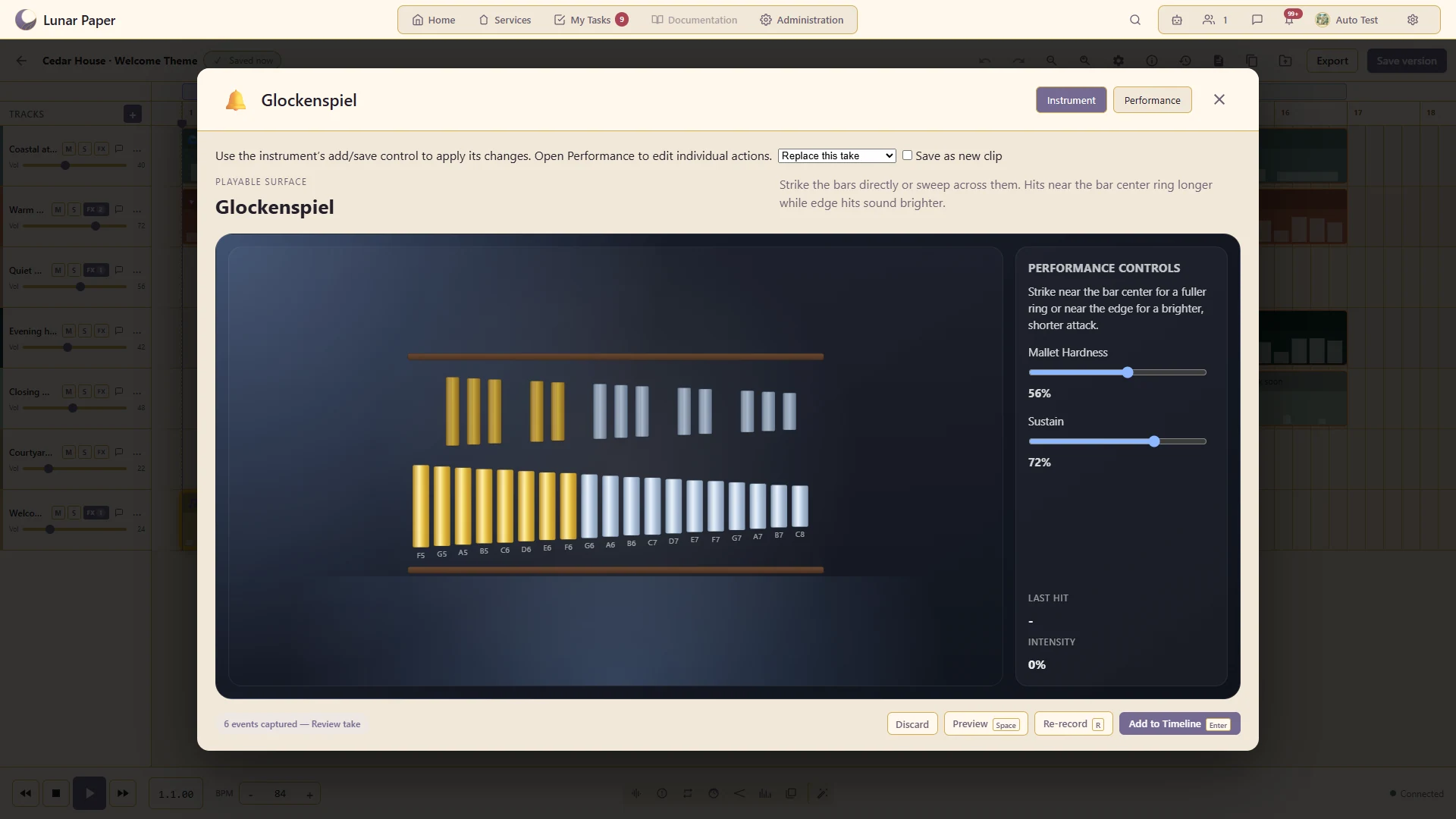
Play the glockenspiel through its instrument surface, then keep the six-note welcome motif as an editable take.
Highlights · 03

Spatial mixing

Position and move supported sound sources using the spatial controls.

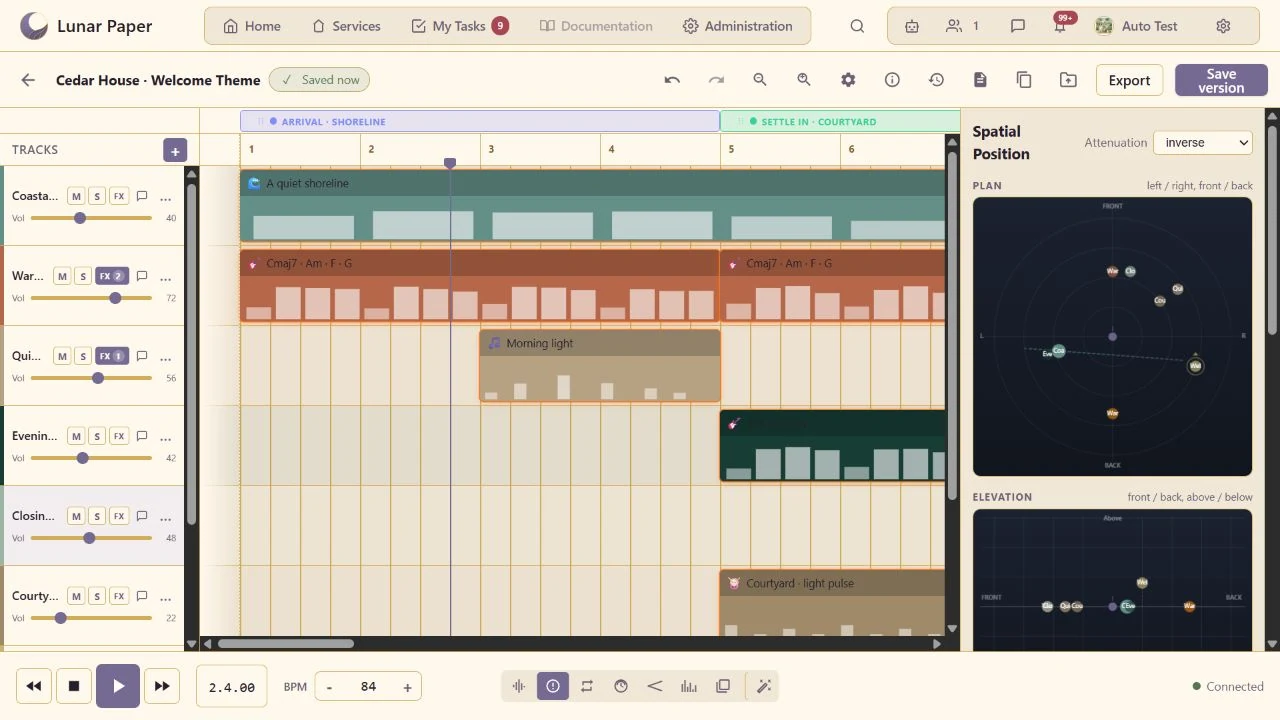
See the current position of every track together and identify overlapping sources before finalizing the mix.
Highlights · 04

Playable instruments

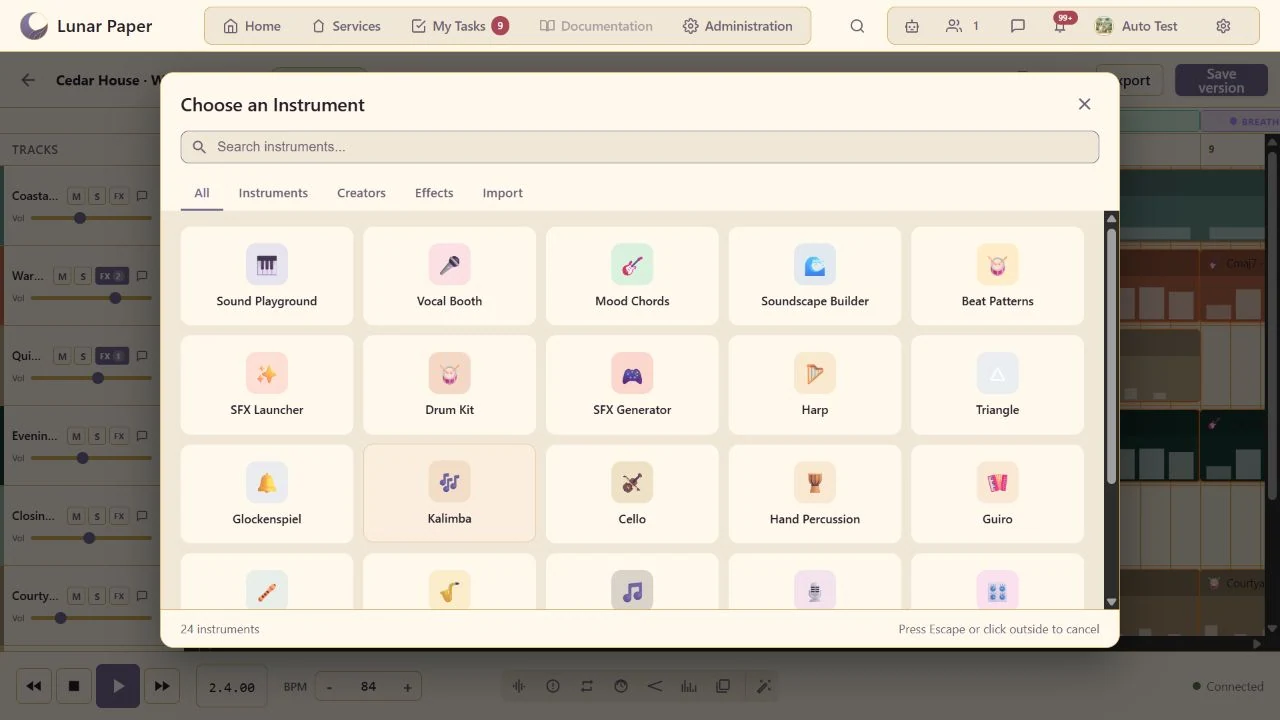
Place playable instruments, generated sounds, imported samples and recordings into ordinary timeline clips.

Highlights · 05

Track mixer

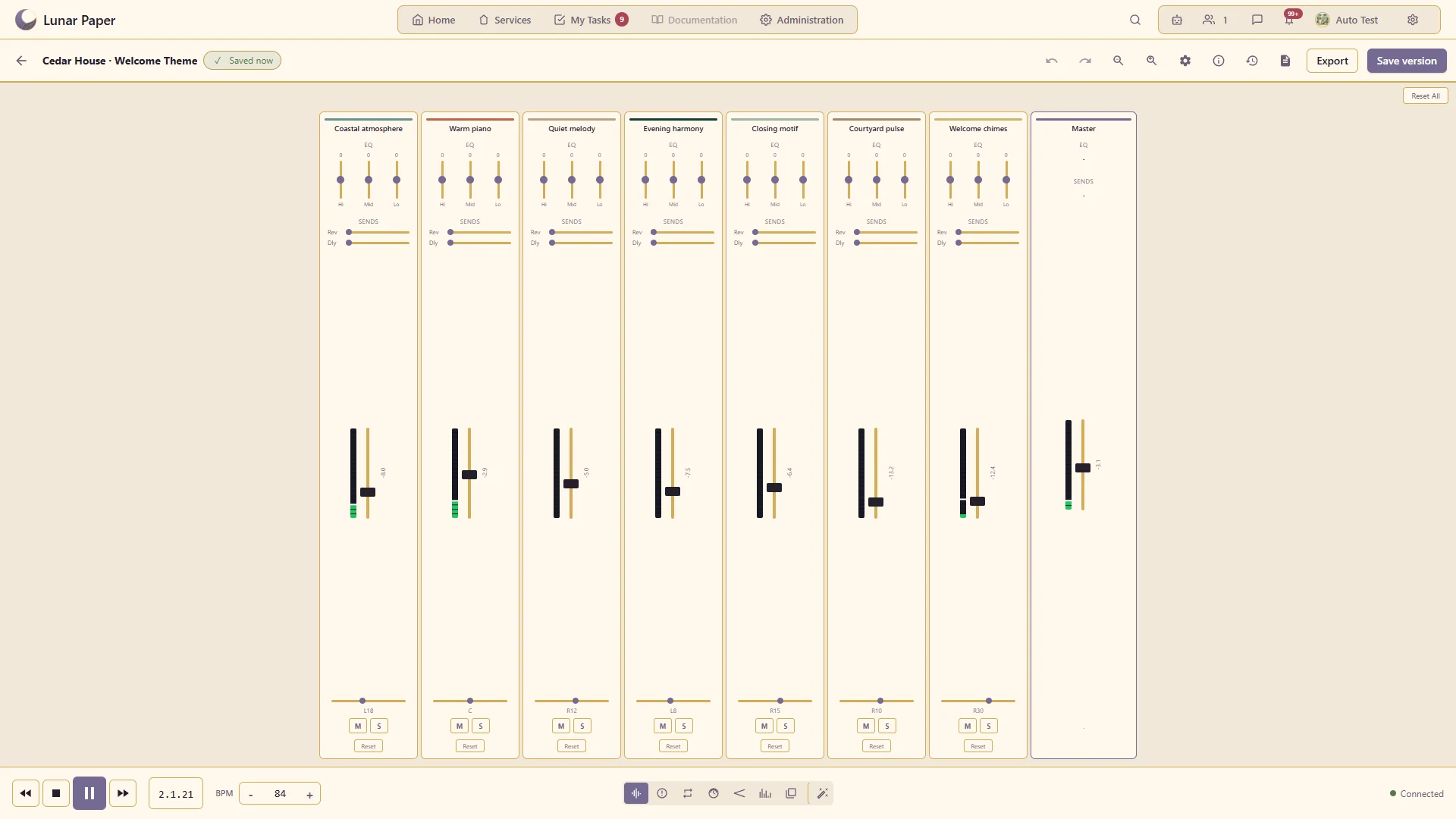
Balance levels, pan and track controls while listening to the arrangement.

Balance seven instrument and atmosphere tracks with live mixer levels, pan, EQ and sends.

A closer look

06 — 20
A closer look · 06

Chord progressions

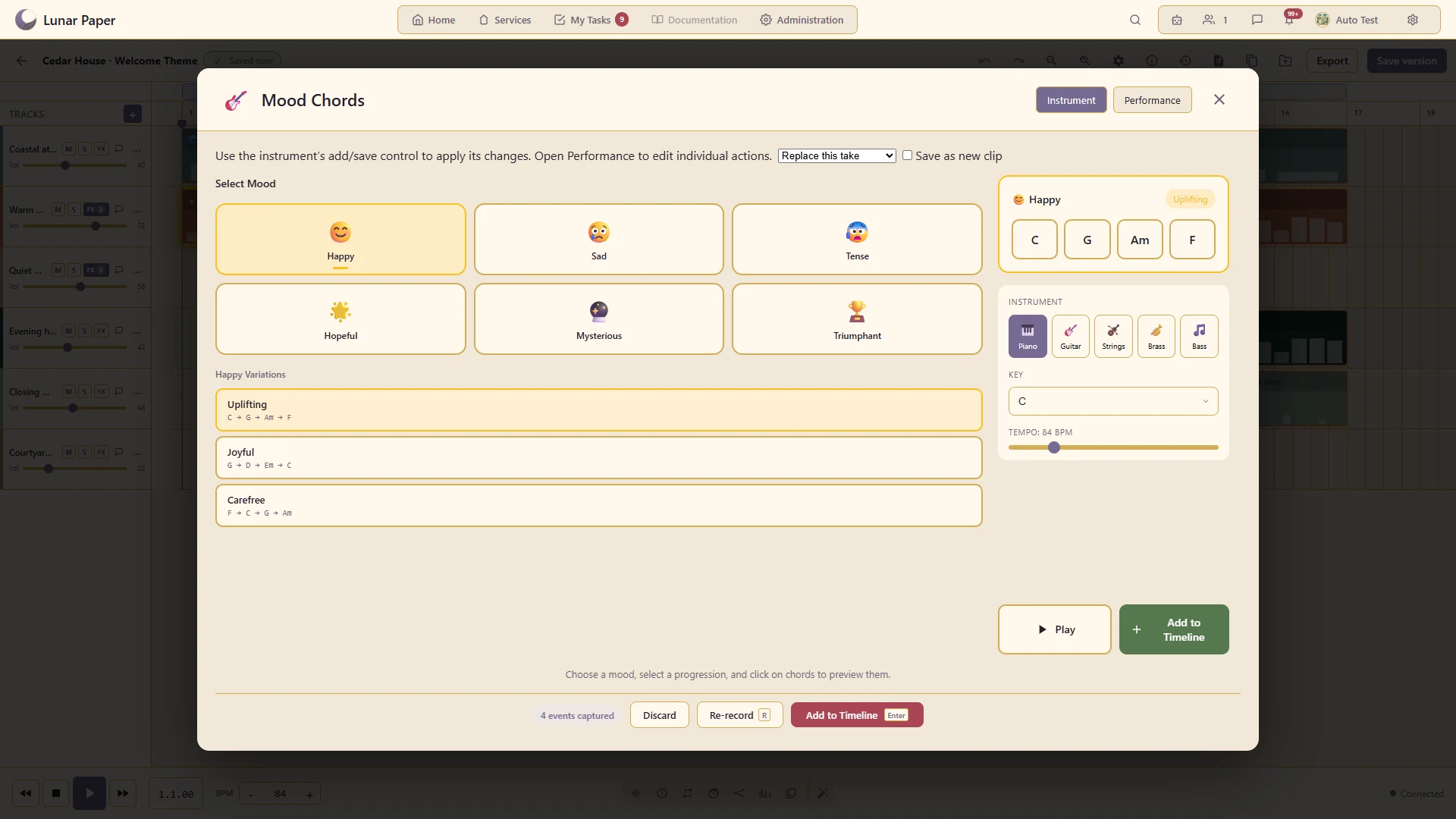
Build a harmonic foundation using the chord instrument.

Shape the welcome theme’s harmonic foundation with chord choices, instrument voicing and progression controls.
A closer look · 07

Ambient soundscapes

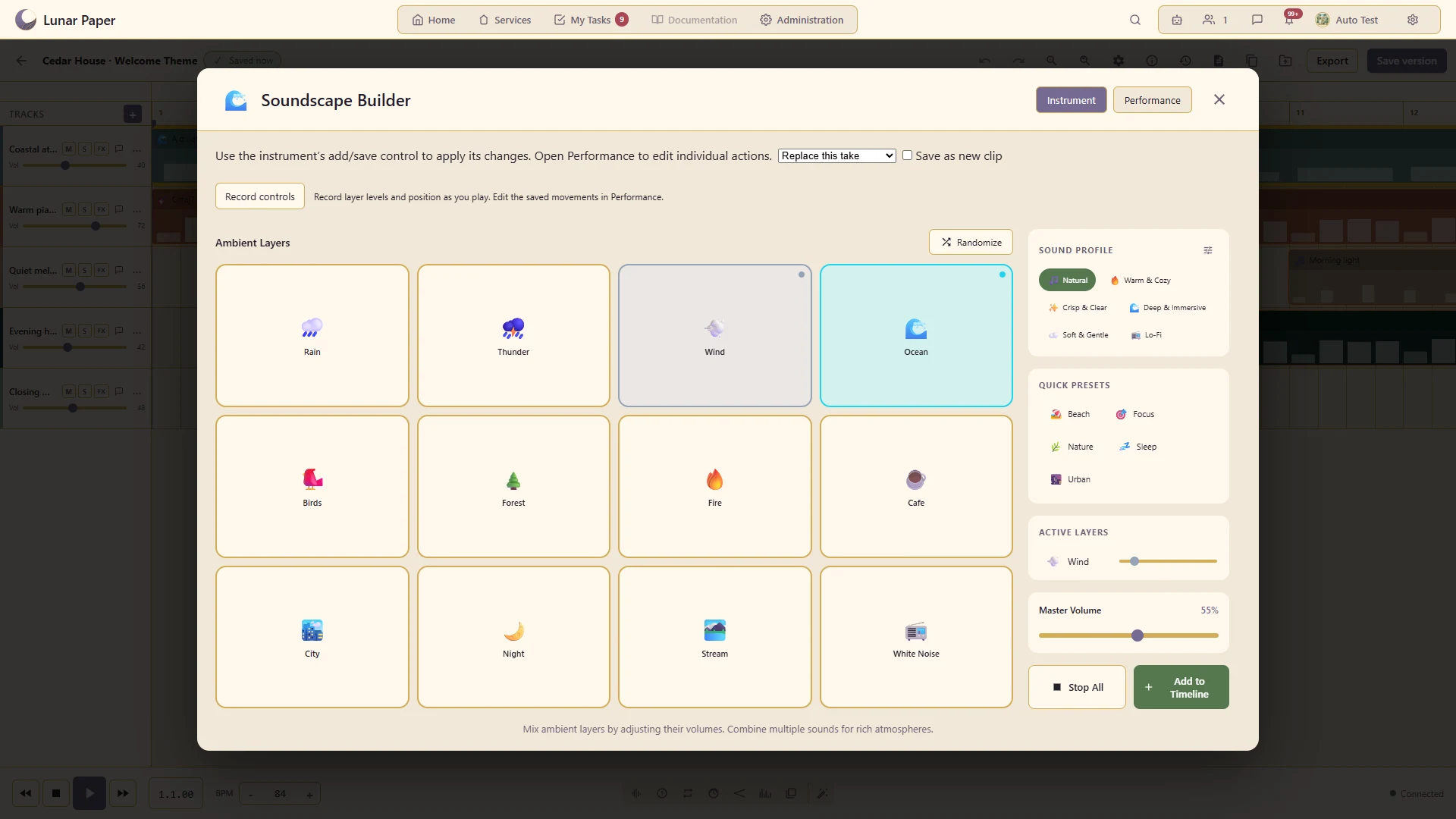
Layer environmental sound to establish an atmosphere.

Ocean and wind layers create the welcome theme’s quiet shoreline, with individual levels and sound-profile controls.
A closer look · 08

Drums and rhythm patterns

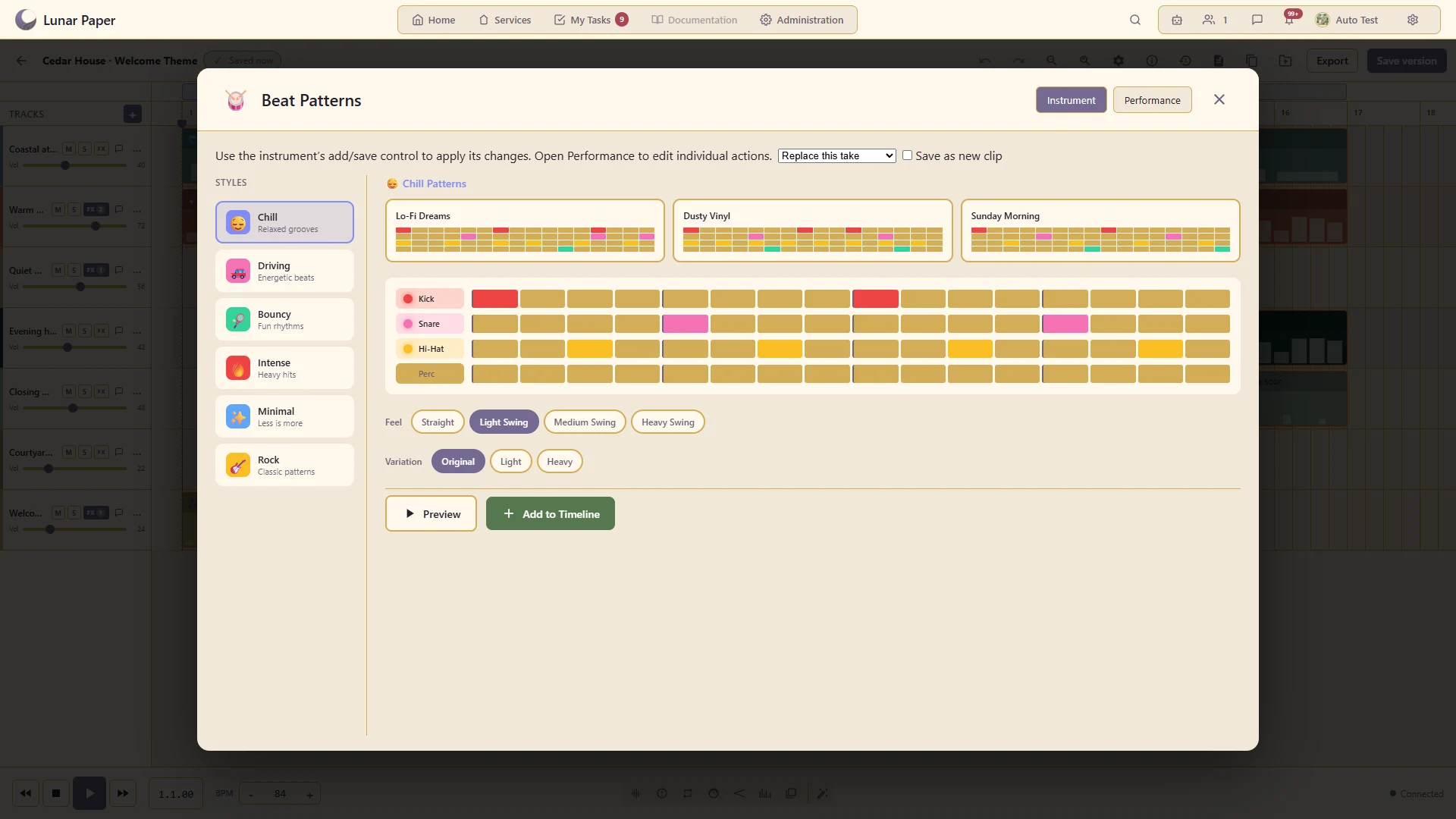
Add a repeatable rhythmic part with the supported percussion tools.

A restrained courtyard pattern combines kick, snare and hi-hat with a light swing feel.
A closer look · 09

Voice recording

Record spoken or sung material through the available microphone workflow.

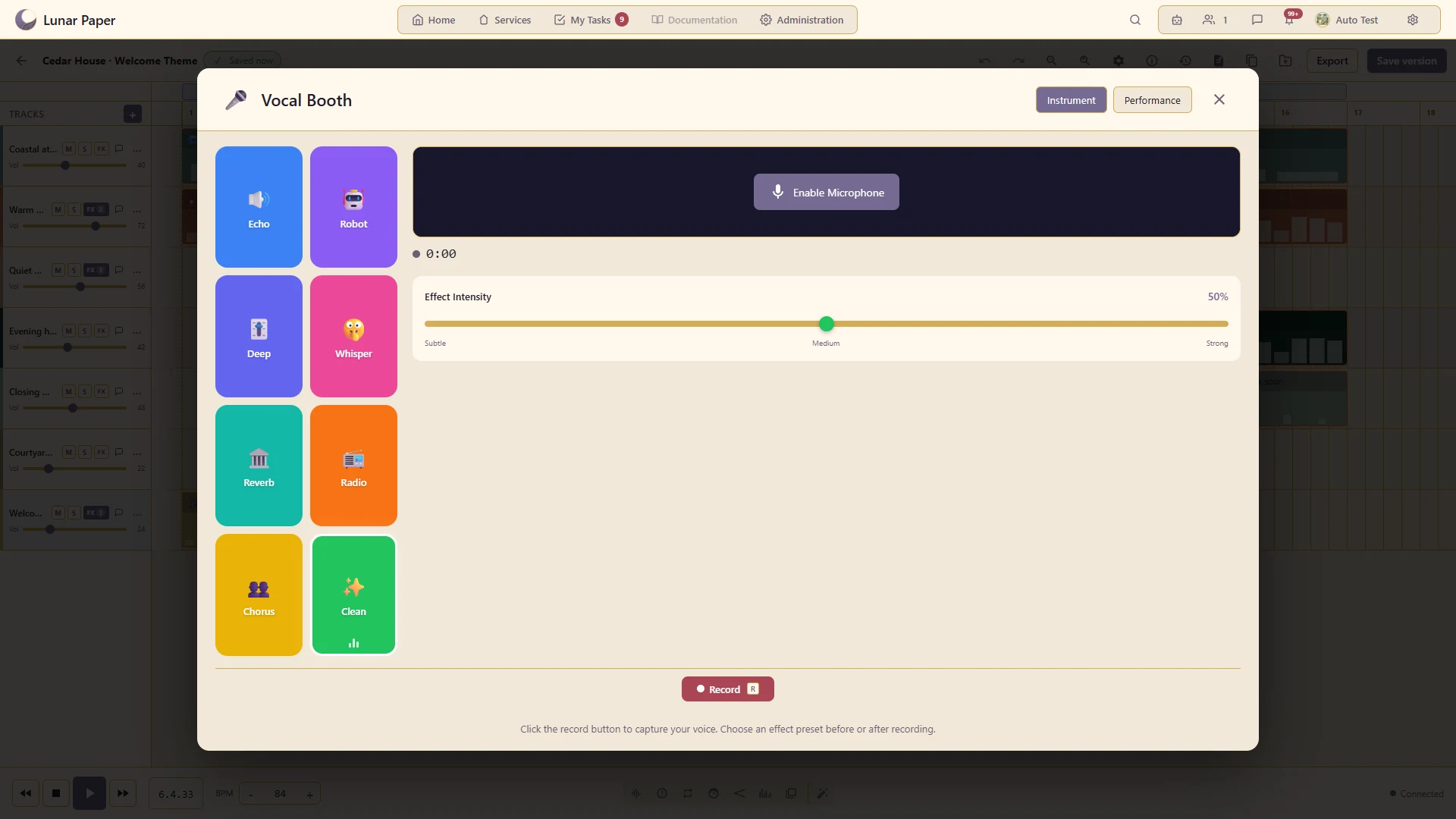
Prepare a guest welcome voiceover in the Vocal Booth, with microphone capture and vocal-processing controls.
A closer look · 10

Samples and imported audio

Incorporate recorded audio alongside generated instrument parts.

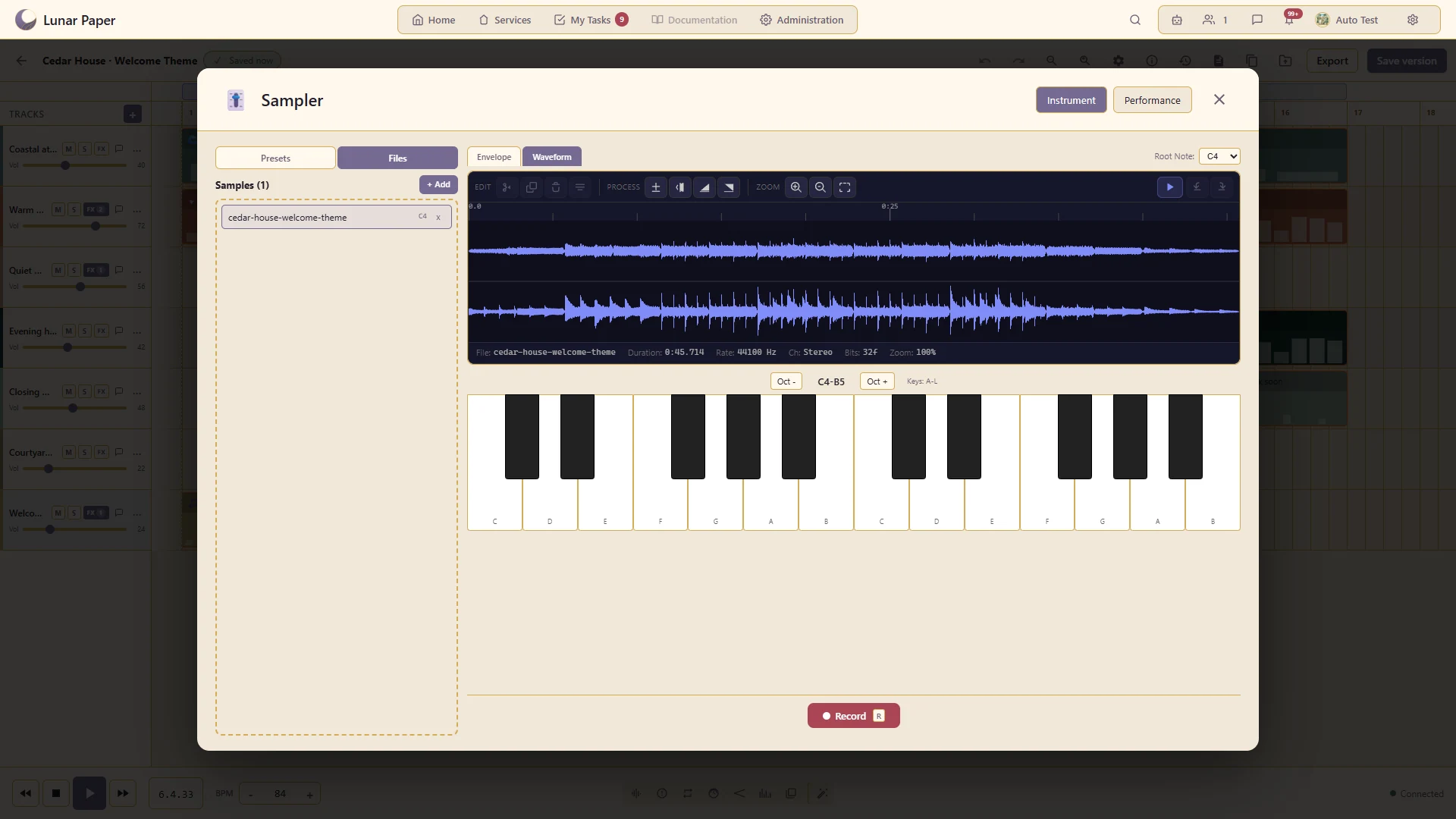
Import the rendered Cedar House theme as a sampler reference and inspect its waveform and envelope controls.
A closer look · 11

Effects chains

Arrange the available track effects and adjust their parameters to shape the sound.

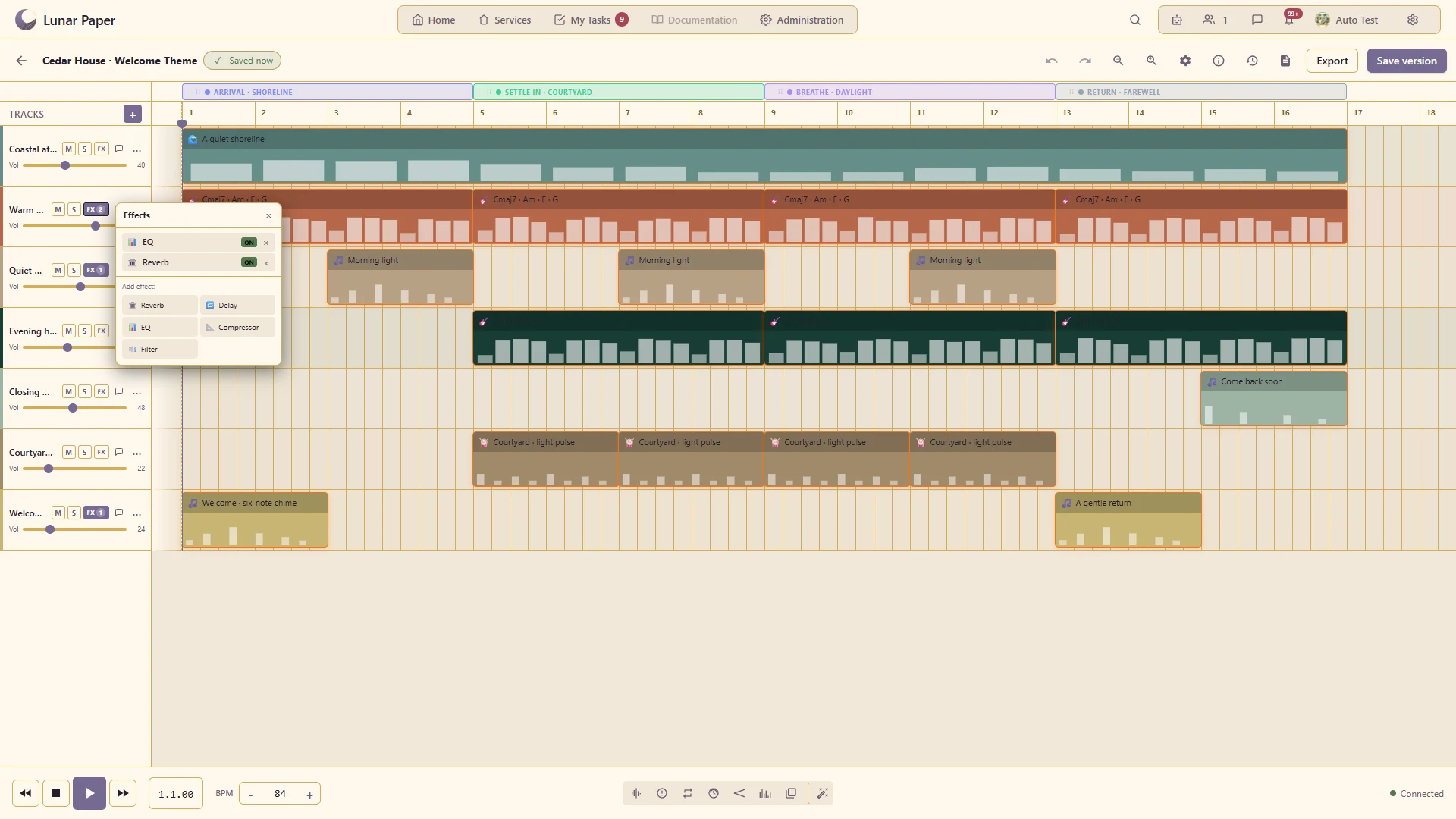
A gentle EQ cut and short reverb finish the piano track, with editable parameters and individual bypass controls.
A closer look · 12

Tempo and tempo automation

Set the composition's pace and make supported changes over time.

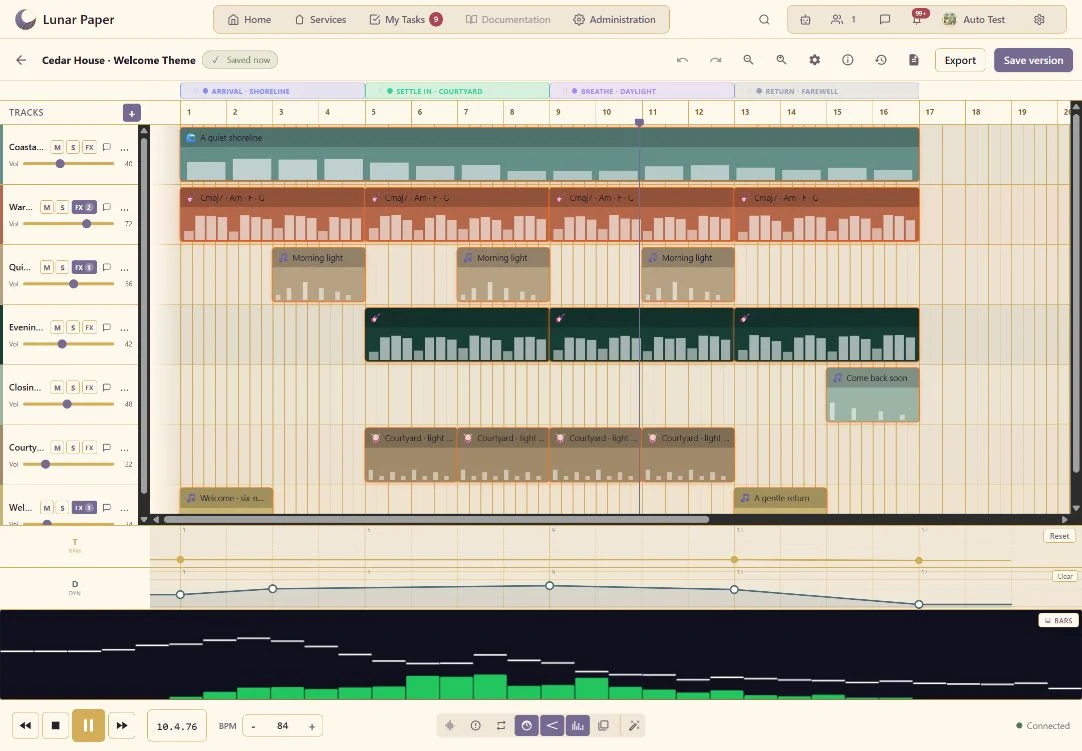
Shape how a part rises, falls or changes through the arrangement.
A closer look · 13

Volume and dynamics automation

Shape how a part rises, falls or changes through the arrangement.

A closer look · 14

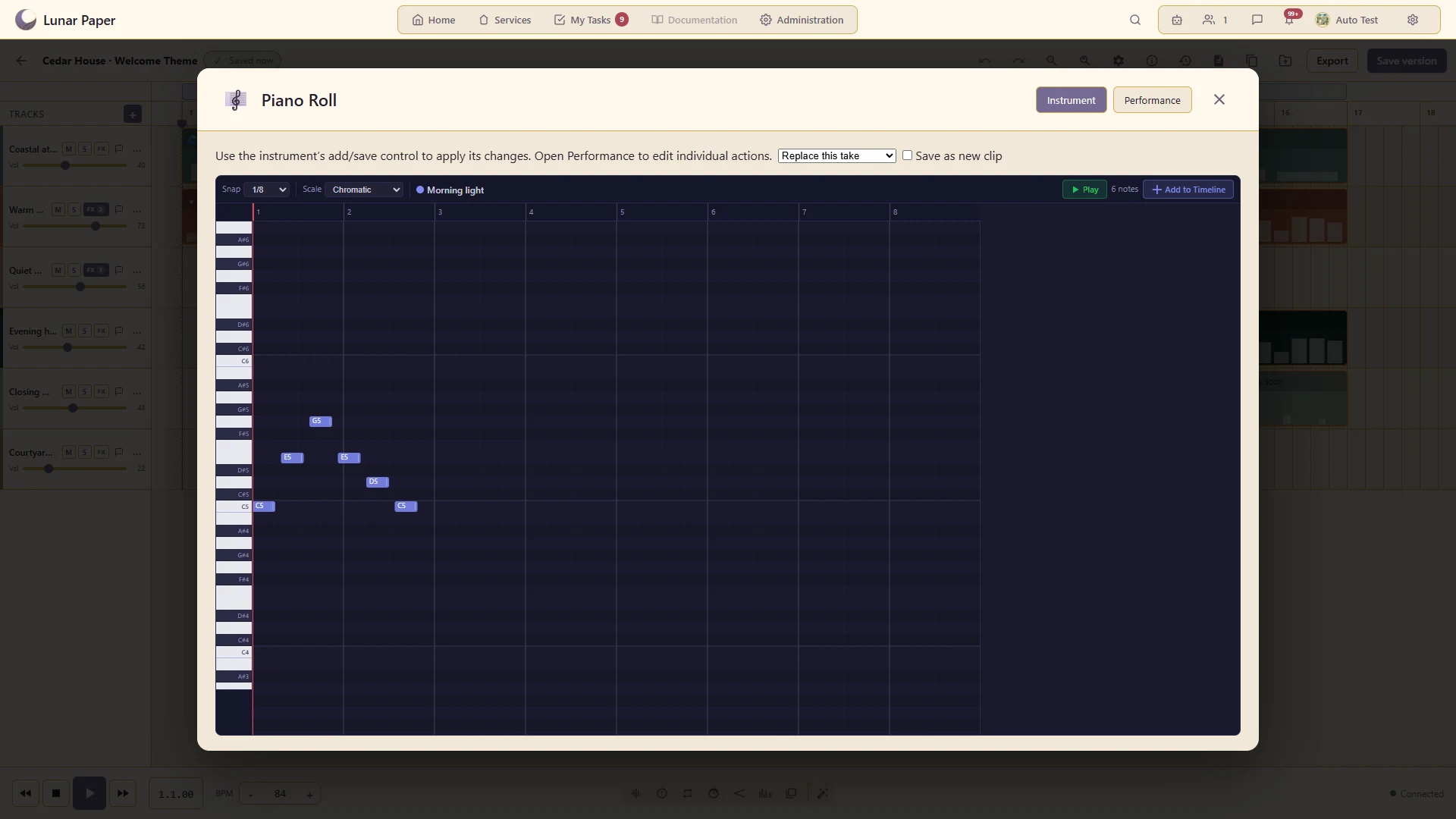
Piano roll

Edit the pitches, positions and lengths of individual notes.

Edit the Morning light melody note by note, including pitch, length, timing and velocity.
A closer look · 15

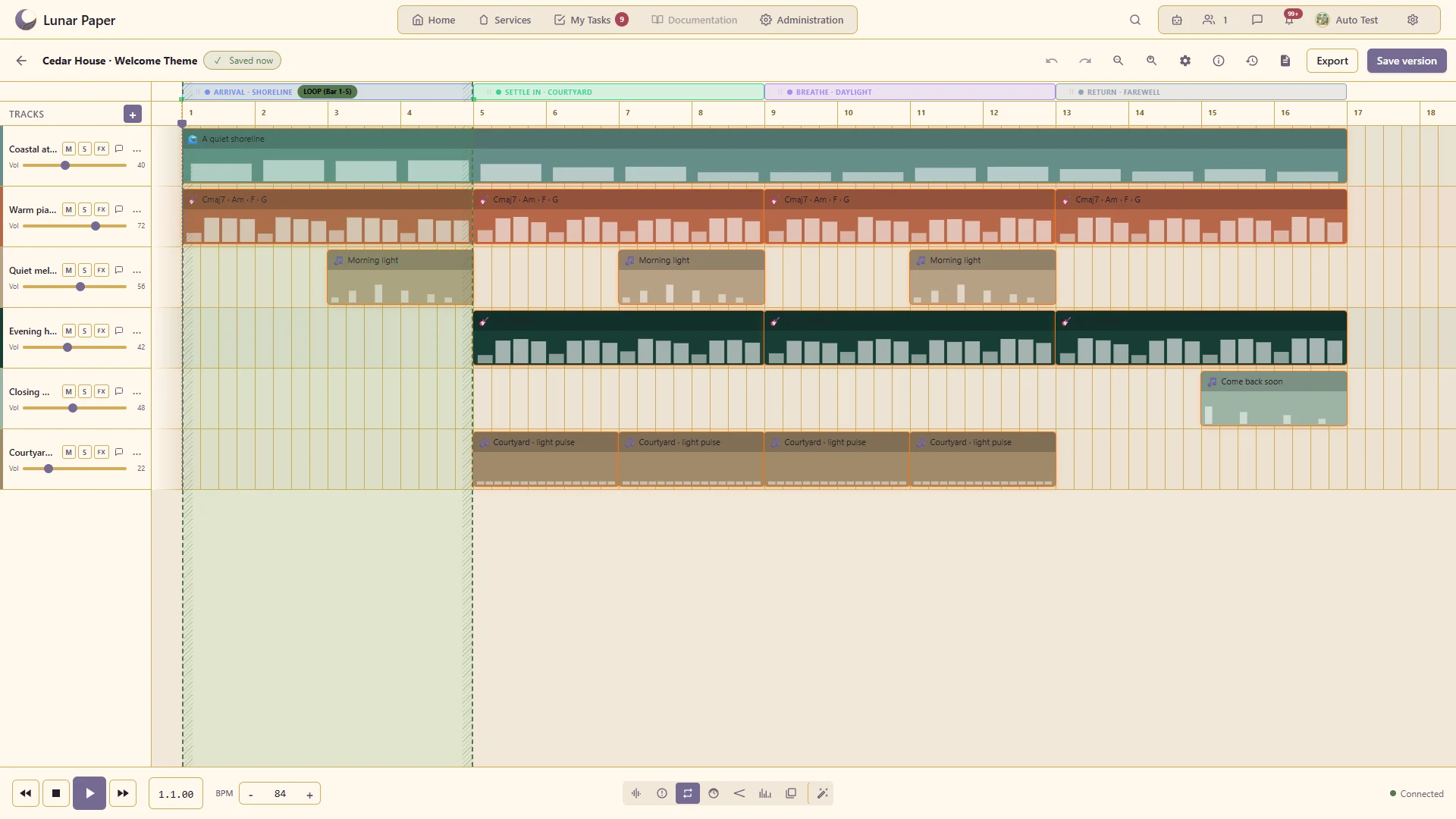
Markers and loop regions

Organise the composition into named sections and focus playback on a passage.

Named sections organise the welcome theme; a loop region isolates the opening passage for focused playback.
A closer look · 16

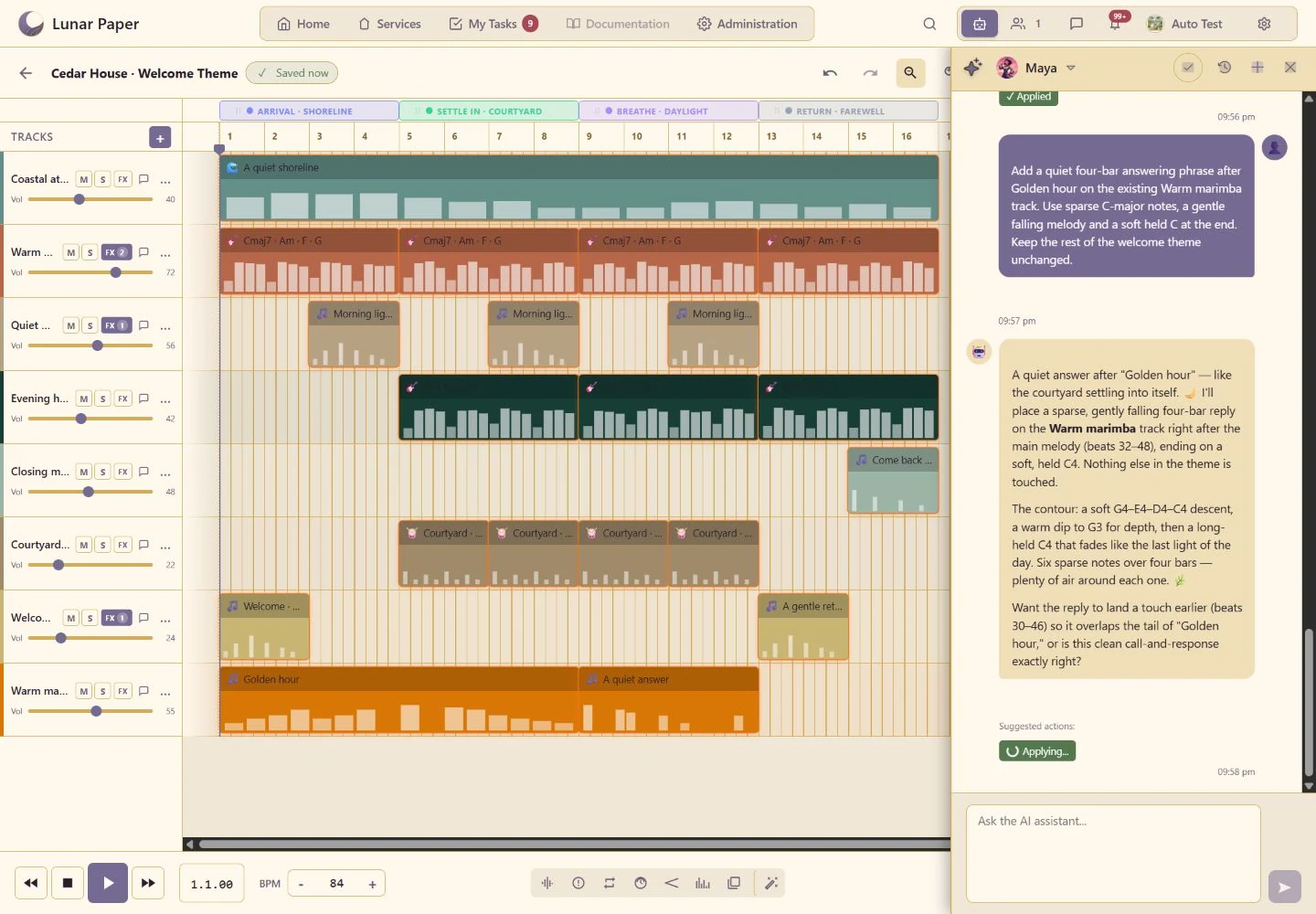
AI music generation

Describe the desired mood, instrument, tempo, length or change in ordinary language from the studio.

A closer look · 17

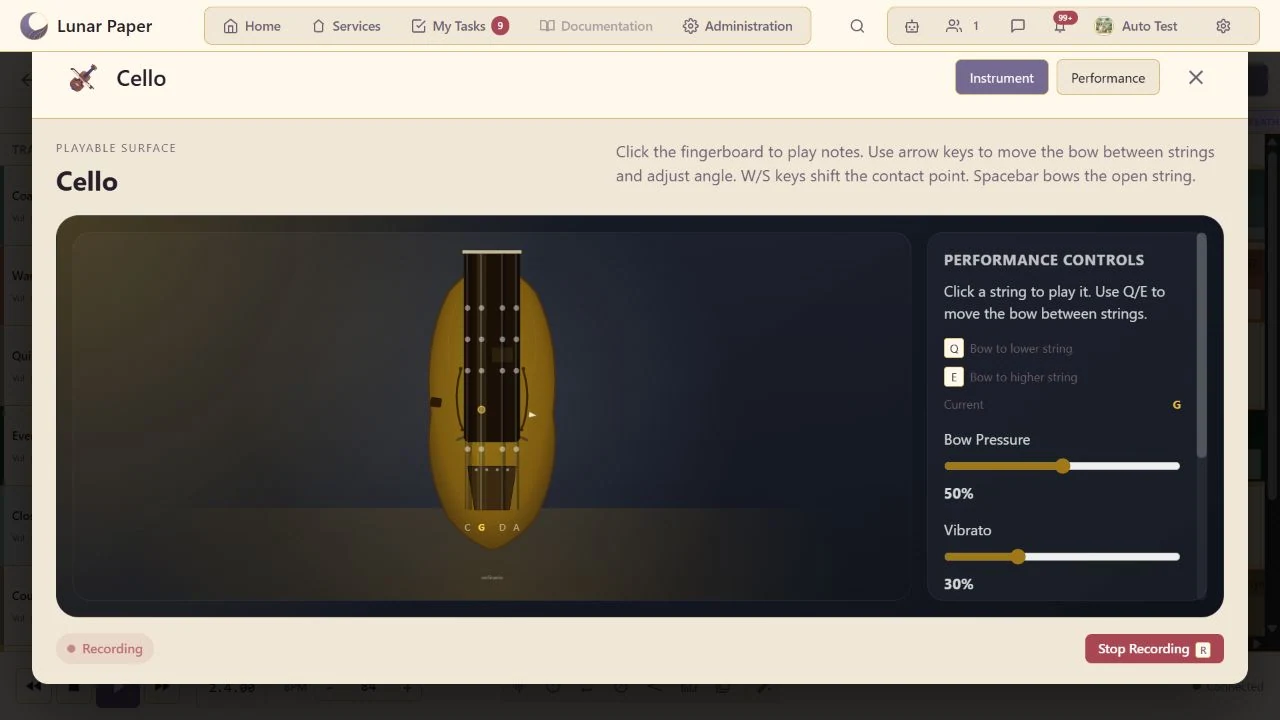
Bowed cello

Perform cello notes through an instrument-specific surface and reopen the saved take for detailed changes.

Record a live performance inside its instrument modal and review the captured take before committing it.
A closer look · 18

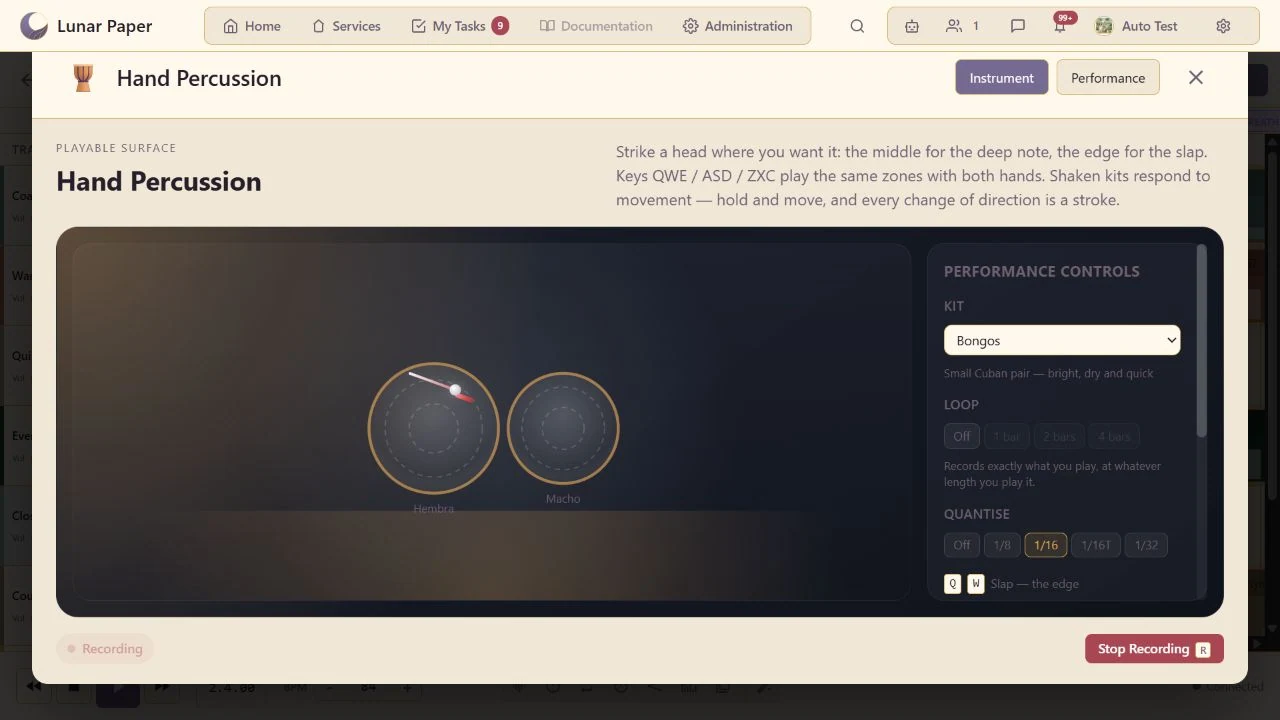
Hand percussion surfaces

Perform struck and shaken percussion on responsive instrument surfaces with position-sensitive sound.

Record a live performance inside its instrument modal and review the captured take before committing it.
A closer look · 19

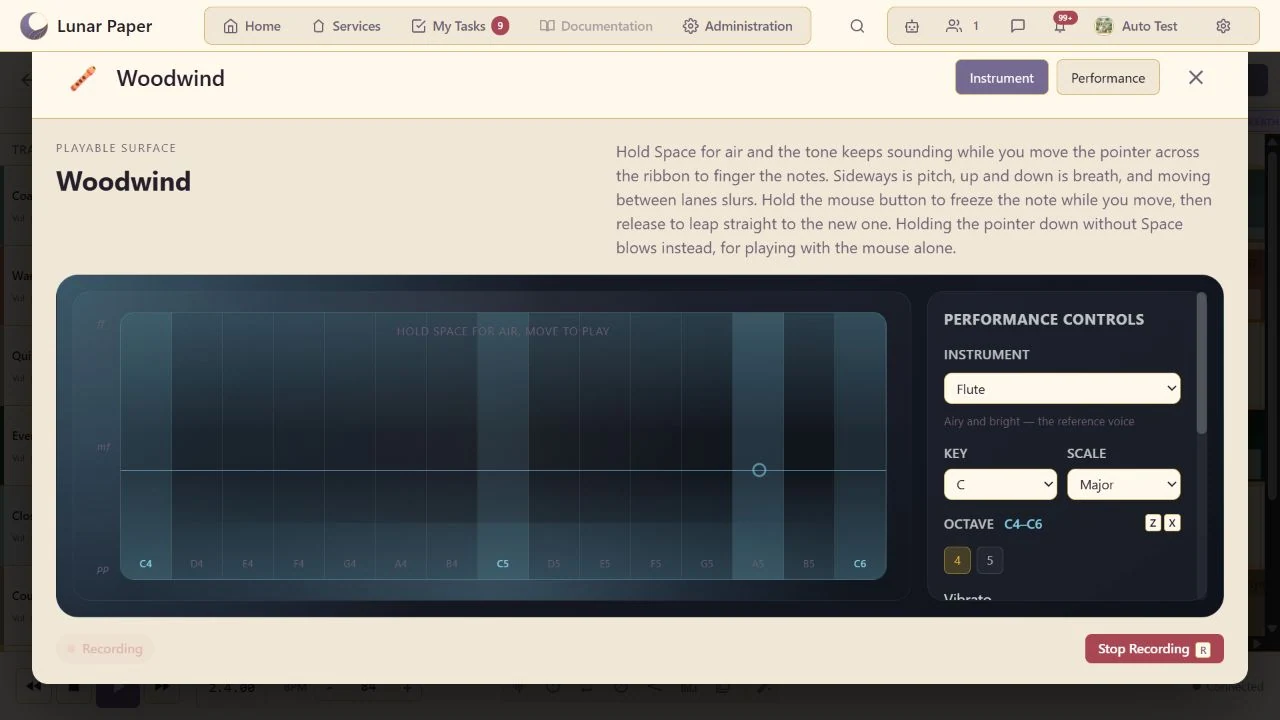
Breath-controlled woodwind

Perform expressive lines on a ribbon that responds continuously to breath, pitch position, dynamics and slurring.

Record a live performance inside its instrument modal and review the captured take before committing it.
A closer look · 20

Saved versions and collaboration

Preserve the arrangement and develop it with other contributors.

Keep the finished guest-welcome arrangement as a named version with a clear record of its musical changes.

Additional Details

The main areas Audio Creator brings together.

Recording and arrangement

Capture performances and organise tracks, clips and groups on a multi-track timeline.

Instruments and sound creation

Compose with playable instruments, sequencers, generators and reusable sound sources.

Performance editing and automation

Refine timing, phrasing and movement, then automate changes across the arrangement.

Mixing and spatial sound

Shape levels, effects and stereo or spatial placement with visual feedback from the mix.

Assisted production

Use supported assistance, presets and production guidance when developing music, ambience, narration or effects.

Collaboration and delivery

Review versions together, publish approved work and export audio for delivery or reuse elsewhere.

Get started

Try it on your own machine

Run the platform with all features for free for three people.